
A Practical Guide to Sprint Planning in Agile
Sprint planning is the moment a Scrum team gathers to map out their work for the upcoming sprint. This is where a list of prioritized ideas transforms into a concrete, actionable plan. In simple terms, the team agrees on what they can deliver in the next cycle and how they’re going to get it done.
What Is Sprint Planning and Why Does It Matter?

Think of sprint planning like a team huddle right before a big game. It's the critical moment where the Product Owner, Scrum Master, and the Development Team all get on the same page, locking in a shared objective and a clear game plan. This isn't just about loading up a to-do list; it’s a vital forecasting and commitment exercise that sets the direction for the entire sprint.
Without solid planning, a team is just blindly working through tasks. With it, they become a focused unit, driving towards a specific, valuable goal. This structured approach is now a cornerstone of modern development. Its explosive growth is undeniable, with Agile adoption in software teams skyrocketing from 37% in 2020 to 86% in 2021.
To help you get a quick handle on what this meeting involves, here's a simple breakdown of the core components.
Sprint Planning At a Glance
This table offers a quick reference for the essential elements of a sprint planning session.
| Component | Description | Typical Timebox (for 2-week sprint) |
|---|---|---|
| Why? (Sprint Goal) | The team and Product Owner collaborate to define a single, high-level objective for the sprint. This provides focus and purpose. | 15 - 30 minutes |
| What? (Item Selection) | The team pulls a selection of high-priority items from the Product Backlog that will help them achieve the Sprint Goal. | 1 - 2 hours |
| How? (Task Breakdown) | The Development Team breaks down the selected items into smaller, manageable tasks and estimates the work required. | 1.5 - 2 hours |
This structured approach ensures the team leaves the meeting with a clear, shared understanding of the mission ahead.
The Purpose of Sprint Planning
At its heart, sprint planning answers two fundamental questions: "What can we get done in this Sprint?" and "How will we do the chosen work?" This process turns the ambiguity of a backlog into a clear roadmap for the team’s efforts over the next couple of weeks.
The primary goals of this ceremony are to:
- Define the Sprint Goal: A short, one-sentence summary of what the sprint aims to accomplish. It’s the north star that guides the team’s decisions.
- Select Product Backlog Items: The team chooses a set of high-priority items from the Product Backlog that directly contribute to the Sprint Goal.
- Create a Plan for Delivery: The Development Team sketches out the work needed to transform the selected backlog items into a finished piece of the product.
A team should estimate and plan only to the extent that further investment in estimating and planning will lead to different actions. If you will do the same thing even if you estimate or plan more, stop.
Key Outputs of the Planning Session
A successful sprint planning meeting produces two tangible outcomes that guide the team throughout the entire iteration. These aren't just documents; they are powerful commitments that drive transparency and keep everyone aligned.
The first, and most important, is the Sprint Goal. This is the single, overarching objective for the sprint. It provides focus and helps the team make tough trade-off decisions when unexpected issues pop up. For example, a good goal might be, "Implement a secure and functional user login and registration flow."
The second is the Sprint Backlog. This is a combination of the Product Backlog items selected for the sprint, plus the team's plan for delivering them. It acts as a real-time forecast from the Development Team, showing what new functionality they expect to deliver and the work required to make it happen.
Who's Who in Sprint Planning: The Key Players and Their Roles
A great sprint plan doesn't just magically appear. It’s the result of a focused conversation between a few key people, each with a crucial part to play. Think of it like a crew preparing for a long voyage. You have the captain who sets the destination, the navigator who charts the course, and the crew who actually sails the ship. Everyone needs to be in sync for the journey to be a success.
When everyone understands their role and respects the expertise of others, the team can craft a plan that's both ambitious and, more importantly, achievable. This collaboration is what turns a wish list into a real commitment.
The Product Owner: The Visionary
The Product Owner (PO) is the captain of the ship. They are the voice of the customer and the business, and their job is to steer the team toward the most valuable destination. They come to sprint planning with a well-prepared and prioritized Product Backlog, ensuring everyone is focused on work that truly matters.
During the planning meeting, the Product Owner is on deck to:
- Champion the Priorities: They present the highest-priority items from the Product Backlog, making a compelling case for why this work is next.
- Explain the "Why": The PO is a storyteller, connecting each piece of work back to a customer need or a business goal. They don't just present a list; they share a vision.
- Clarify Acceptance Criteria: They make sure every user story has a crystal-clear "definition of done." This ensures there’s no ambiguity about what success looks like.
A great Product Owner doesn't just dictate orders. They provide the context and clarity the team needs to make smart decisions about what they can realistically tackle.
The Scrum Master: The Facilitator
If the PO is the captain, the Scrum Master is the first mate, making sure the planning process itself runs like a well-oiled machine. They aren't focused on the work itself, but on the way the team plans the work. They are the guardian of the Scrum process, creating an environment where a productive, honest conversation can happen.
The Scrum Master keeps the meeting on course by:
- Protecting the Timebox: Sprint planning can easily go off the rails. The Scrum Master keeps an eye on the clock, gently nudging the conversation forward to ensure the meeting ends on time (a good rule of thumb is two hours for every week of the sprint).
- Guiding the Conversation: They make sure everyone’s voice is heard, from the most senior developer to the newest team member. They help mediate disagreements and steer the team toward a consensus.
- Clearing Roadblocks: If any questions or issues pop up that can't be resolved in the meeting, the Scrum Master takes ownership of finding a solution so the team can stay focused.
A huge part of the Scrum Master's job is creating a psychologically safe space. The team needs to feel comfortable asking tough questions, challenging assumptions, and even saying "no" if the workload feels unrealistic.
This skilled facilitation is what separates a chaotic planning session from a highly effective one.
The Development Team: The Experts
The Development Team is the skilled crew that actually does the work. They are the designers, engineers, and QA specialists who know the nuts and bolts of building the product. As the experts in execution, they have the final say on how much work they can commit to and how they’ll get it done.
In sprint planning, the Development Team’s job is to:
- Ask Probing Questions: They dive deep into each user story, poking and prodding until they have a complete picture of what’s being asked of them.
- Estimate the Effort: Using techniques like Planning Poker, they size up the work. This isn't about getting a perfect prediction; it's about building a shared understanding of the complexity and effort involved.
- Build the Sprint Backlog: Based on their capacity and estimates, the team pulls work from the Product Backlog into the Sprint Backlog. This is their forecast for the sprint.
- Break Down the Work: They often break larger stories into smaller, more manageable tasks right in the meeting, creating a rough plan of attack for the first few days of the sprint.
At the end of the day, the Development Team owns the Sprint Backlog. It's their collective expertise and honest assessment of what's possible that turns a plan into a reality.
How to Master Agile Estimation Techniques
Let's get one thing straight: estimation in sprint planning isn't about predicting the future with a crystal ball. It’s more like a weather forecast. It gives the team a solid idea of what’s coming so they can prepare and make smart decisions together, rather than being a rigid, unbreakable deadline.
The real magic of good estimation is the conversation it sparks. When a team sits down to estimate a task, they’re forced to talk through the complexity, dig up hidden risks, and get on the same page about what "done" actually looks like. That dialogue is where the value is, not the final number.
Using Story Points for Relative Sizing
One of the most popular ways to measure work in Agile is with story points. A story point isn't tied to hours or days; it's an abstract number that bundles together three key things:
- Effort: Just how much work are we talking about?
- Complexity: How tricky or brain-bending is this task?
- Risk & Uncertainty: What don't we know? What could go wrong?
Instead of getting hung up on time, teams use story points to compare tasks to each other. For example, a simple task like "build a basic login form" might be a 2-point story. But something more involved, like "integrate a new third-party payment gateway," could easily be an 8-point story because it's packed with more effort, complexity, and unknowns. The key is that everyone agrees an 8-pointer is roughly four times bigger than a 2-pointer.
This process involves the whole team, with each role playing a crucial part in the discussion.
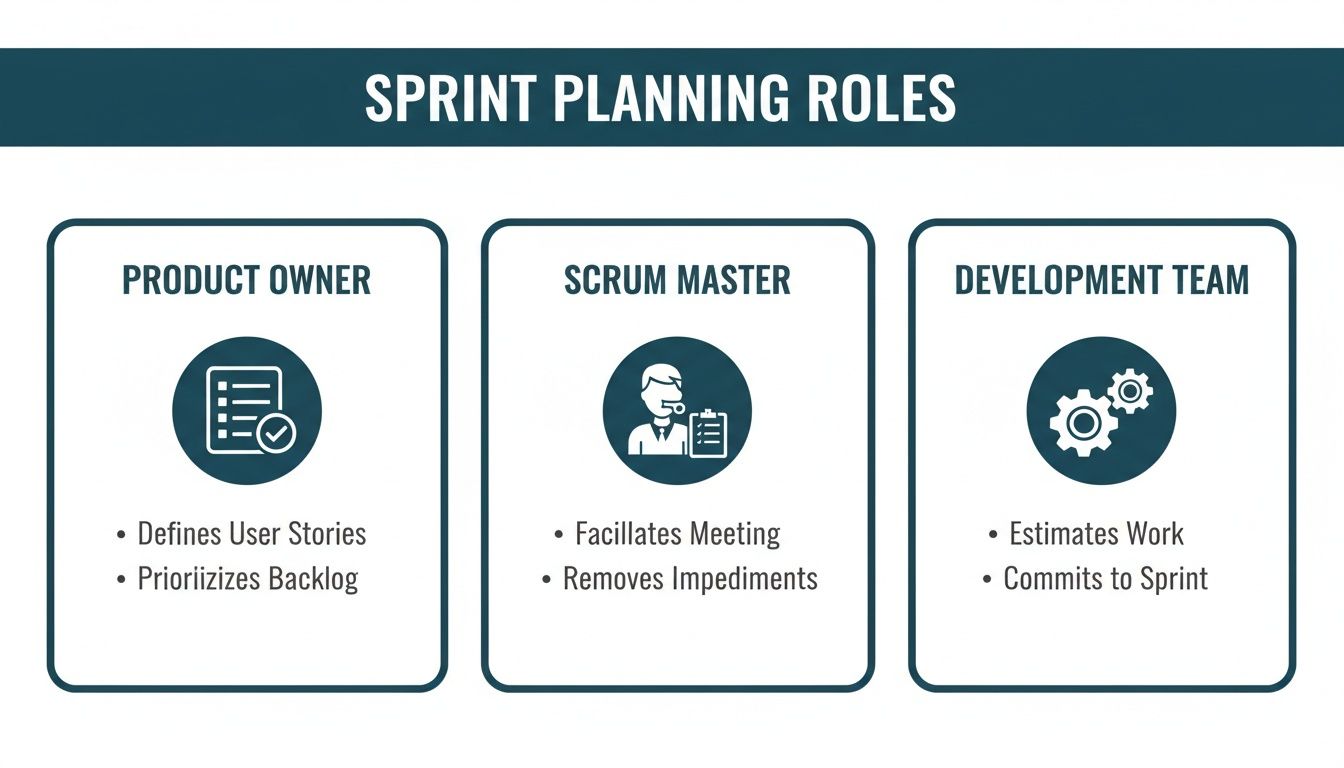
As you can see, the Product Owner explains what needs to be built, the Development Team figures out how to build it, and the Scrum Master keeps the whole estimation process running smoothly.
T-Shirt Sizing for Quick Estimates
Sometimes you just need a quick, back-of-the-napkin estimate, especially when looking at a huge backlog for the first time. This is where T-shirt sizing shines. The team quickly sorts work into familiar sizes: XS (Extra Small), S (Small), M (Medium), L (Large), and XL (Extra Large).
This technique is perfect for getting a rough sense of scale without getting lost in the weeds of specific points. An "XS" might be a tiny bug fix, while an "XL" could represent a massive new feature. It's a fantastic, low-pressure way to kick off the estimation conversation and start prioritizing big chunks of work.
A Walkthrough of Planning Poker
When you need a more precise estimate that everyone on the team buys into, it's time for Planning Poker. This technique turns estimation into a collaborative game, tapping into the team's collective brainpower to land on an accurate number. Best of all, it makes sure every voice is heard.
Here’s how a round of Planning Poker usually plays out:
- The Story Is Presented: The Product Owner lays out a user story, explains the goal, and answers any questions the team throws their way.
- Everyone Thinks and Picks a Card: Each person on the team privately selects a card from a deck (typically using Fibonacci numbers: 1, 2, 3, 5, 8, 13...) that reflects their gut feeling on the story's size.
- The Big Reveal: On the count of three, everyone shows their card at the same time. This simple step is crucial because it prevents one person's estimate from influencing everyone else—a phenomenon known as "anchoring."
- Time to Talk: If the numbers are all close, great! You've got an estimate. If they're all over the map (say, one person shows a 3 and another a 13), the people with the highest and lowest numbers explain their thinking. This is where hidden complexities or simple solutions come to light.
- Vote Again: After the discussion, the team re-votes. You repeat this cycle until the estimates are close enough that the team can agree on a single number.
The real goal of Planning Poker isn't just to get a number. It's to share knowledge and expose hidden assumptions. The discussions that happen when estimates don't align are often far more valuable than the estimate itself.
This approach ensures your final number is a true reflection of the entire team's perspective, not just the loudest person in the room. To learn more, you can find a wealth of information on agile estimation techniques online. It's a powerful way to make your forecasts more reliable and get your team aligned during sprint planning in agile.
Comparing Agile Estimation Techniques
Choosing the right estimation method depends entirely on your team's context and what you're trying to achieve. Are you doing high-level roadmap planning or fine-tuning the details of the next sprint? This table breaks down the most common techniques to help you decide.
| Technique | Best For | Key Advantage | Potential Pitfall |
|---|---|---|---|
| Planning Poker | Detailed sprint planning where team consensus is critical. | Fosters deep discussion, uncovers hidden complexities, and drives alignment. | Can be time-consuming if discussions are not facilitated well. |
| T-Shirt Sizing | High-level backlog grooming, roadmap planning, and quick initial sorting. | Fast and intuitive; great for getting a rough sense of scale without getting bogged down. | Lacks the precision needed for accurate sprint capacity planning. |
| Story Points | Continuous estimation within an established team that understands its velocity. | Separates effort from time, focusing on relative size and team capacity. | Can be misunderstood by stakeholders who try to convert points to hours. |
Ultimately, the best technique is the one that sparks the most productive conversations and helps your team build a shared understanding of the work ahead. Don't be afraid to experiment and find what works best for you.
How to Facilitate an Effective Sprint Planning Session
A great sprint planning session is the launchpad for a great sprint. Get it right, and the team walks out with a clear, confident plan. Get it wrong, and you're left with organized chaos. The Scrum Master's job isn't to dictate the plan but to guide the conversation, creating a space where the team can have honest discussions and make a commitment they can stand behind.
The real work of facilitation begins long before the meeting invite pops up. The single most important thing you can do is make sure the Product Backlog is in good shape. Kicking off a planning session with a messy, unrefined backlog is like trying to build a house on a shaky foundation—it’s doomed from the start.
Setting the Stage for Success
Before everyone gathers, the facilitator needs to confirm a few things are in place. This prep work ensures the meeting is about planning, not last-minute scrambling or discovery.
Think of it like a chef's mise en place—getting all your ingredients chopped and ready before you start cooking. For sprint planning in agile, this means:
- A Refined Backlog: The items at the top of the backlog must be clear, understood by the team, and small enough to be finished in one sprint. This is handled in backlog refinement meetings before planning even starts.
- A Clear Agenda: Everyone needs to know why they're there, what will be discussed (Sprint Goal, item selection, task breakdown), and how much time is set aside for each part.
- The Right People: Make sure the Product Owner, the entire Development Team, and the Scrum Master can be there and are ready to jump in.
Guiding the Conversation
Once the meeting starts, your main job is to steer the conversation toward clear outcomes while protecting the team’s time and energy. This isn’t a passive role; you are the guardian of the process, making sure it serves the team, not the other way around.
Your focus is on keeping discussions productive. It's no surprise that companies that nail down their sprint planning see real improvements in their delivery and predictability. This planning process, which usually takes 2 to 4 hours for a two-week sprint, is where the magic happens. It lets teams break down big ideas into small, manageable chunks, which means faster feedback and the ability to pivot when needed. You can see more on the data behind this in these agile performance statistics.
Here are a few key techniques to keep in your back pocket:
- Start with the "Why": The Product Owner should always kick things off by explaining the proposed Sprint Goal. This gives the team the context and purpose they need before getting lost in the details of individual user stories.
- Protect the Timebox: Be the friendly timekeeper. If a discussion on one story is dragging on, it’s probably a sign that the story isn't ready. Use a "parking lot" to jot down topics that are important but are derailing the current focus.
- Encourage Questions: You have to create a space where people feel safe enough to ask the "dumb" questions. More often than not, these are the questions that uncover huge misunderstandings or hidden risks.
The facilitator's goal isn't to have all the answers but to ensure the right questions are being asked and answered by the team. A great planning session is a collaborative discovery, not a presentation.
A Practical Facilitator's Checklist
To keep yourself on track, here’s a simple checklist covering what to do before, during, and after the session.
Before the Meeting:
- Confirm with the Product Owner that the backlog is prioritized and refined.
- Check that the team's capacity is clear (don't forget holidays and PTO!).
- Send out the agenda and any pre-reading materials ahead of time.
During the Meeting:
- Kick off by stating the meeting's purpose and reviewing the agenda.
- Guide the discussion to land on a clear, motivating Sprint Goal.
- Help the team as they select work from the backlog to meet the goal.
- Make sure every item pulled into the sprint is clearly understood by everyone.
- Keep an eye on the clock and respect the timebox.
After the Meeting:
- Ensure the new Sprint Backlog is visible and easy for everyone to access.
- Put the Sprint Goal somewhere prominent where the team will see it every day.
- Follow up on any "parking lot" items that still need answers.
By following this playbook, you can turn your sprint planning from a meeting people dread into one of the most powerful alignment ceremonies your team has.
Running Sprint Planning with Remote Teams
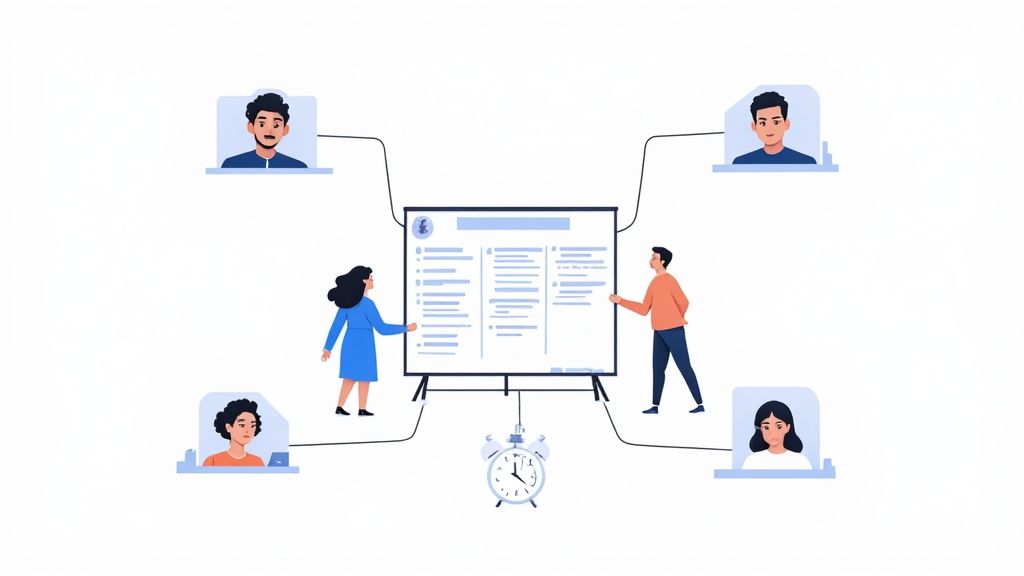
The shift to distributed work has definitely changed the game for sprint planning in agile, but it certainly doesn't have to break it. The heart of planning—collaboration, alignment, and commitment—is still the same. We just need a different set of tools. Instead of huddling around a physical whiteboard, modern teams now lean on digital platforms to bring that collaborative energy to life online.
Let's be honest: running a great remote planning session takes more conscious effort. You can't read the room by glancing at body language or catch those crucial side conversations. Success really boils down to having a structured approach, clear rules for communication, and a tech stack that brings everyone together without getting in the way.
Essential Digital Tools for Remote Planning
Think of your digital toolkit as your new meeting room. The right setup can make a remote session feel almost as connected as being there in person, sparking real interaction and keeping the whole team aligned. Without it, your planning meeting can easily turn into just another confusing, low-energy video call.
Here are the absolute must-haves for any remote team's toolkit:
- Virtual Whiteboards: Tools like Miro or Mural are non-negotiable. They create a shared digital canvas where everyone can see the backlog, drag user stories around, and map out the plan together in real-time. This kind of visual teamwork is essential for building a shared understanding of the work ahead.
- Video Conferencing: A solid platform like Zoom or Google Meet is your lifeline. It's a good idea to encourage a "cameras on" policy; seeing faces helps people connect and makes it easier to tell if someone is engaged or confused.
- Online Planning Poker Apps: Let’s face it, trying to flash hand signals over a laggy video call during estimation is a recipe for disaster. This is where a dedicated app makes all the difference. For example, using an online Scrum Poker tool allows everyone to vote privately and then reveal their estimates at the same time. This is key for avoiding groupthink and kicking off meaningful conversations about why estimates differ.
Strategies for Engaging Distributed Teams
Just having the tools isn't a magic bullet. You also need smart strategies to fight off the inevitable "Zoom fatigue" and make sure every single person feels heard, no matter their time zone.
One of the most effective techniques is to embrace asynchronous preparation. Before the meeting, the Product Owner can record a quick video walking through the high-priority backlog items. Team members can then review it on their own time and drop questions or comments. This simple step transforms the live session from a boring presentation into a focused discussion.
In a remote setting, over-communication is a virtue. The facilitator's role is to actively draw out opinions, use structured check-ins, and ensure quieter team members aren't overlooked.
Here are a few more tips to keep your remote sessions humming along:
- Structure the Agenda Tightly: Remote meetings drift easily, so they need more structure. Timebox every section of the agenda—from discussing the goal to selecting items and breaking down tasks—and be disciplined about sticking to those times.
- Schedule Regular Breaks: Staring at a screen for two hours straight is exhausting for anyone. Build short, 5-10 minute breaks into the schedule every hour. It's a simple way to help everyone hit the reset button and stay sharp.
- Establish Clear Communication Norms: Set up some simple ground rules, like using the "raise hand" feature in your video tool or having a dedicated chat channel for questions. This small step prevents people from talking over each other and keeps the conversation flowing smoothly.
Common Sprint Planning Mistakes and How to Fix Them
Even seasoned agile teams can stumble into the same old traps during sprint planning. When these sessions go off the rails, the ripple effects can throw the whole sprint into disarray, leading to missed goals and a frustrated team. But here’s the good news: most of these problems are easy to spot and even easier to fix.
Think of this as your field guide to troubleshooting sprint planning. By learning to recognize these common slip-ups, you can get your team back on track and make sure your planning sessions are a powerful launchpad for success, not a recipe for chaos. These aren't new or unique challenges; teams everywhere run into them.
And it's not just dev teams anymore. Agile has broken out of the IT department and is being used everywhere. Marketing teams, for instance, are seeing huge benefits, with 28% having adopted Agile principles. Of that group, a whopping 76% say they can prioritize their work far more effectively now. You can find more valuable insights on agile adoption and see how other teams are making it work.
The Unprepared Backlog
Walking into a planning meeting with a messy, unrefined Product Backlog is the single biggest mistake a team can make. It immediately torpedoes the meeting, turning it from a focused planning effort into a frantic, on-the-fly grooming session. Precious time gets burned as everyone scrambles to understand, debate, and size stories they're seeing for the first time.
Sprint planning is absolutely not the place for first introductions to user stories. This lack of prep work inevitably leads to wild guesses for estimates, fuzzy scope, and a sprint plan built on a foundation of sand.
The Fix: Make dedicated backlog refinement meetings a non-negotiable part of your rhythm. These sessions, held before sprint planning, are where the Product Owner and the development team get together to hash out requirements, break down chunky stories, and put a preliminary estimate on things. This simple practice ensures that the work at the top of the backlog is genuinely "ready" when planning day arrives.
Overcommitment and External Pressure
Let's be honest, stakeholders are always hungry for results. That hunger can quickly turn into pressure on the team to cram more work into a sprint than they can realistically handle. A team that’s constantly overcommitting and then failing to deliver will see its morale plummet into burnout territory. It also shatters the trust between the team and the business.
Saying "yes" to every request might feel good in the moment, but it’s a direct path to a sprint filled with half-finished work, mounting technical debt, and a team running on fumes.
The Fix: Let your data do the talking. The team's velocity—the average amount of work they've finished in past sprints—is your best defense against wishful thinking. The Scrum Master’s job is to shield the team by helping them use this historical data to create a realistic forecast. It’s not about telling stakeholders "no"; it’s about saying, "not right now."
Treating Estimates as Deadlines
This one is a classic. It’s the trap of treating estimates as ironclad promises instead of what they really are: educated guesses. As soon as a story point value gets translated into a hard deadline, you've created a culture of fear. It kills honest conversation during estimation and forces people to pad their numbers just to give themselves a buffer.
When pressure for guarantees ruins the planning process, the real value of estimation—the collaborative conversation—is lost. The goal is to build a shared understanding, not to hold people to a fixed timeline.
The Fix: Relentlessly educate stakeholders (and sometimes the team itself) that estimates are for forecasting, not a commitment carved in stone. Keep reminding everyone that story points are a mix of effort, complexity, and uncertainty. The focus should always be on the team’s ability to achieve the Sprint Goal, which allows for flexibility in how they get there. This shifts the entire conversation from hitting individual deadlines to achieving collective success.
Got Questions About Sprint Planning? We've Got Answers.
Even the most seasoned Agile teams run into questions during sprint planning. It's just part of the process. Let's tackle some of the most common ones to clear up any confusion and get you on the right track.
How Long Should a Sprint Planning Meeting Be?
A good rule of thumb is to set aside two hours of planning for every week of your sprint.
So, for a typical two-week sprint, your planning session should be capped at four hours. If you're running shorter one-week sprints, a two-hour meeting should be plenty.
This timebox isn't just a suggestion; it’s a critical constraint. It keeps everyone focused and pushes the team to come prepared. There’s simply no time to waste debating stories that aren't well-defined or ready for the team to tackle.
Can We Change the Sprint Goal Mid-Sprint?
The short answer is no. Once the Sprint Goal is set, it should be locked in for the entire sprint. Think of it as the team's commitment—it provides the stability and focus needed to deliver a genuinely valuable chunk of work.
What if something huge and unexpected happens that makes the goal completely irrelevant? In that rare case, the Product Owner has the authority to cancel the sprint. But this is a big deal and should be seen as a major disruption, not a common occurrence.
The Sprint Goal is a short-term mission, not a flexible guideline. Protecting it is what allows a team to block out the noise and concentrate on delivering something meaningful.
What Happens If We Finish All Our Work Early?
First of all, congratulations! Finishing early is a sign of great planning, not a problem. But it definitely doesn't mean it's time to kick back and relax. This is a golden opportunity to get ahead.
The team should immediately connect with the Product Owner. Here’s what usually happens next:
- Grab the next thing in line: The team can pull the highest-priority "ready" item from the top of the Product Backlog and start working on it.
- Invest in the future: This is a perfect time to pay down some technical debt, beef up testing automation, or refine internal processes. Basically, anything that will make the team stronger and faster in upcoming sprints.
This approach ensures every minute of the sprint is spent creating value, whether for the customer or for the team itself.
Ready to make your planning sessions faster and more effective? Scrum Planning Poker offers a free, no-signup tool for agile estimation. Start a session in seconds and bring clarity to your team’s forecasts.