Sprint Planning Agile: sprint planning agile best practices for teams
Successful sprint planning doesn't just happen by accident. It's the direct result of thoughtful, deliberate prep work. Think of it like a chef's mise en place—the real magic happens in the preparation long before the cooking starts. The meeting itself should feel more like the final assembly, not a frantic scramble to figure out what’s on the menu.
Building The Foundation For Effective Sprint Planning
When a team walks into a planning session unprepared, the meeting almost always goes off the rails. It devolves into a messy, time-sucking debate that results in a shaky sprint commitment nobody really believes in. The objective is to make the meeting a confirmation of a well-understood plan, not the messy starting point of its discovery.
This all comes down to two critical elements: a healthy, well-groomed product backlog and a crystal-clear sprint goal. Without these, your team is essentially flying blind, trying to make commitments based on half-baked ideas and a fuzzy sense of direction.
Before we dive into the details, let's get a high-level view of what you need to bring to the table. A productive planning session relies on having the right information and artifacts ready to go from the start.
Essential Inputs For Your Sprint Planning Meeting
This table breaks down the critical information and artifacts your team needs to have ready for a productive sprint planning session.
| Input | Key Contributor | Its Role In Planning |
|---|---|---|
| Well-Groomed Product Backlog | Product Owner (with team input) | Provides a prioritized list of "ready" user stories for the team to pull from. This is the primary "what." |
| Proposed Sprint Goal | Product Owner | Articulates the "why" behind the work, giving the team a unified purpose for the iteration. |
| Team Capacity | Development Team | Sets realistic boundaries for how much work can be committed to, based on availability and historical velocity. |
| Latest Product Increment | Development Team | Offers a clear picture of the current state of the product, informing what can and should be built next. |
| Action Items from Retrospective | Scrum Master & Team | Ensures process improvements from the previous sprint are incorporated into the plan for the upcoming one. |
Having these inputs organized and ready isn't just a "nice-to-have"; it's the difference between a frustrating meeting and one that sets the team up for a successful sprint.
The Role Of The Product Backlog
Your product backlog is, without a doubt, the single most important ingredient for sprint planning. It can't be a random wish list. For planning to be effective, it needs to be a prioritized, well-understood set of user stories. A story is considered "ready" when it meets a few simple criteria:
- Clear: Everyone on the development team genuinely understands what needs to be built and, just as importantly, why.
- Feasible: The team is confident the story can be fully completed within a single sprint.
- Testable: The acceptance criteria are clear enough to prove the story is truly "done."
Getting stories to this state is the job of backlog refinement (often called grooming). This is an ongoing, collaborative process led by the Product Owner where the team digs into upcoming work. They ask tough questions, hash out requirements, and slice big epics into small, digestible stories. This crucial work happens before sprint planning, so the meeting itself can be all about commitment, not clarification.
Defining A Motivating Sprint Goal
If the backlog provides the "what," the sprint goal provides the "why." It’s a short, crisp statement—usually just one sentence—that sums up the core value the team is aiming to deliver by the end of the sprint. A good sprint goal is incredibly powerful; it rallies the team around a shared objective that helps guide all the small decisions they'll make along the way. To dive deeper into the structure of an iteration, check out our guide on what is a sprint in agile.
A great sprint goal turns a random collection of backlog items into a coherent body of work. Instead of just "completing tickets," the team is working toward a meaningful outcome, which boosts focus and morale.
This steady rhythm of planning is what ultimately creates predictability. The 17th State of Agile Report found that teams who consistently maintain their ceremonies, like sprint planning, see up to a 42% improvement in quality and a 24% increase in responsiveness. These fixed cadences turn what could be chaotic development cycles into a predictable flow of value. You can explore more findings from the State of Agile Report on digital.ai.
Ultimately, this groundwork ensures that when your team gathers, they're spending their valuable time making smart, informed commitments that everyone can get behind.
How To Run A Sprint Planning Meeting That Works
Once you've done the prep work, your sprint planning meeting transforms from a chaotic scramble into a high-energy, focused session. This is the moment the team formally commits to what they'll build next. A great meeting really breaks down into two distinct parts: first, figuring out the "what," and then, as a group, hashing out the "how."
Everyone on the Scrum Team—the Product Owner, Scrum Master, and the Development Team—needs to be in the room. The Product Owner comes armed with the prioritized backlog and a proposed sprint goal. The Development Team brings their technical expertise and a real sense of their own capacity. And the Scrum Master? They’re the facilitator, keeping the whole thing productive and on track.
Phase One: Defining The "What"
The Product Owner kicks off the first half of the meeting. They'll walk the team through the highest-priority items from the product backlog, explaining the value each one brings to the user and how it ties into the sprint goal. This isn’t a one-way street; it's a conversation.
The Development Team’s job here is to poke holes and ask a ton of clarifying questions. They need to dig in to make sure everyone has the same understanding of what's being asked. This back-and-forth is absolutely critical—it’s where you uncover hidden assumptions and complexities before a single line of code is written.
The point of this phase isn't just to look at a list of tasks. It's to build a shared understanding. If the team walks away from this part of the meeting with unanswered questions, the sprint is already on shaky ground.
Phase Two: Defining The "How"
Once everyone is crystal clear on the "what," the meeting shifts gears. Now, the Development Team steps up to figure out how they're going to get the work done. They take the selected backlog items and start breaking them down into smaller, more concrete tasks.
This is a full-team effort. Developers discuss different implementation strategies, call out potential roadblocks, and identify dependencies between tasks. They'll often start mapping out a plan by creating a task list for each user story, which is a great way to gut-check their capacity and make sure the commitment is realistic.
This process highlights the core elements you need for a solid plan.
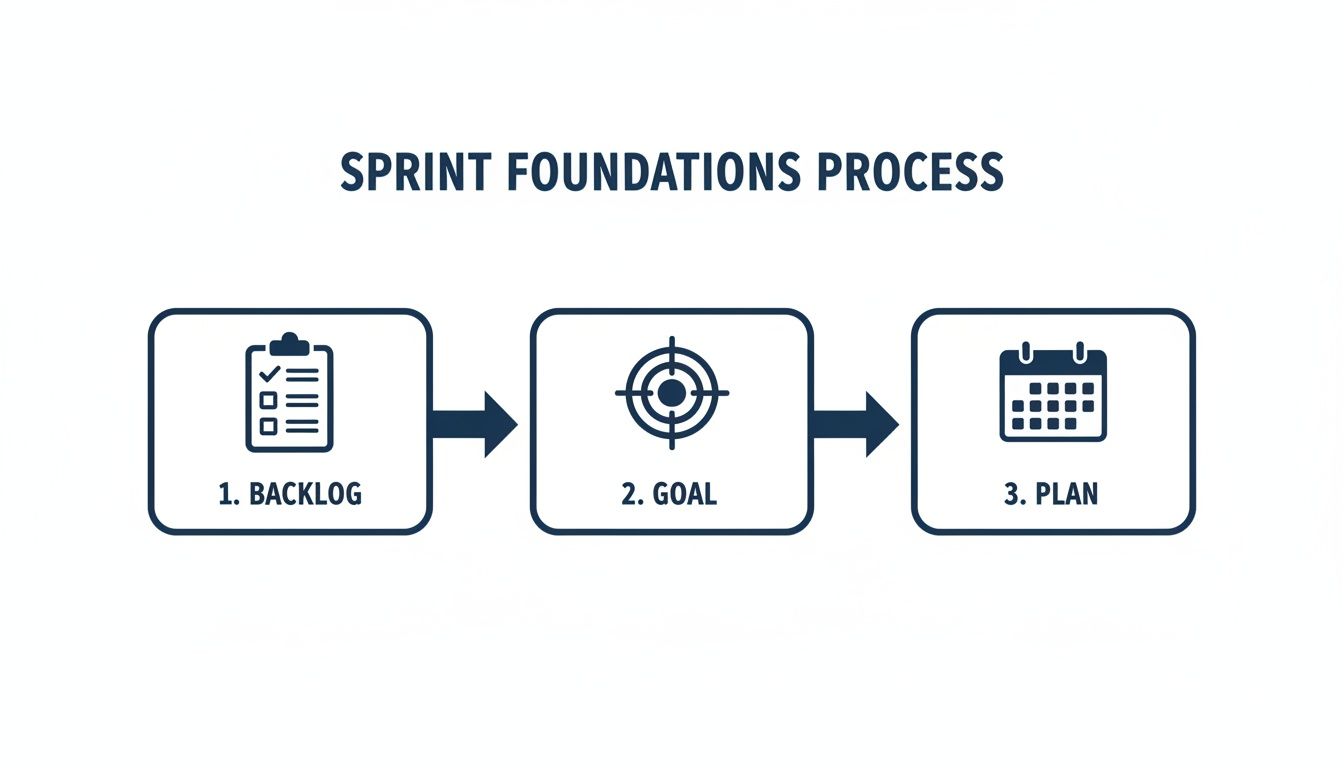
As you can see, a well-groomed backlog and a clear goal aren't just nice-to-haves; they are the absolute prerequisites for creating a viable sprint plan.
Key Roles And Responsibilities
To keep things running smoothly, everyone has a distinct role to play during sprint planning. Knowing who does what prevents confusion and keeps the meeting moving.
- The Product Owner: Presents backlog items, clarifies any and all requirements, and works with the team to lock in the final sprint goal. They are the voice of the customer and have the final say on what provides value.
- The Development Team: Asks the tough questions to truly understand the work, estimates the effort needed, breaks down items into technical tasks, and ultimately, commits to the scope of work they can realistically deliver.
- The Scrum Master: Acts as the facilitator for the whole event. They keep an eye on the clock, timebox discussions to maintain focus, and help the team reach a consensus. Their job is to ensure the team follows effective sprint planning agile practices.
By the time everyone leaves the meeting, the team should have a finalized sprint backlog and a collective commitment to the sprint goal. This isn't a promise made to the Product Owner; it’s a commitment the team makes to each other to deliver something valuable.
Mastering The Art Of Agile Estimation

This is where the rubber meets the road. Estimation is the moment your sprint planning session pivots from a hopeful wish list to a grounded, realistic forecast. Let's be clear: agile estimation isn't about gazing into a crystal ball to get a perfect prediction. It's about building a shared understanding of what a task truly involves.
The real goal here is to get just enough clarity to make a commitment the team can stand behind. Without some form of estimation, you’re flying blind. You have no way of knowing if the sprint goal is a reasonable hill to climb or an insurmountable mountain. It's your gut check against overcommitment and the bedrock of trust with your stakeholders.
Choosing Your Estimation Technique
Agile teams have a handful of go-to methods for sizing up work, and each has its own sweet spot. The right choice often comes down to how much detail you need and how refined the backlog items are.
T-shirt Sizing (XS, S, M, L, XL): This is your best friend for early-stage backlog items or massive epics. It's a quick, low-fuss way to get a rough sense of scale without getting lost in the weeds. Think of it this way: a "complete user profile redesign" might be an L, while "fix login button typo" is an obvious XS.
Affinity Estimation: Got a brand new backlog with dozens of items? This is your tool. The team silently groups similar-sized stories together on a wall, almost like sorting cards. It’s a surprisingly fast and collaborative way to bring order to chaos.
Planning Poker: This is the crowd favorite for a reason. It's best used on well-defined stories ready for a sprint. By using the team's collective brainpower, you arrive at a consensus that's far more accurate than any single person's guess. You can explore a variety of other agile estimation techniques in our detailed guide.
A Practical Guide to Planning Poker
Planning Poker is so effective because it short-circuits common human biases, like the "halo effect" where everyone just agrees with the most senior person in the room. The process itself is wonderfully simple.
First, the Product Owner walks through a user story and answers any questions the team has. Then, everyone privately picks a card that represents their estimate—usually from a modified Fibonacci sequence like 1, 2, 3, 5, 8...
On the count of three, everyone reveals their cards.
If the numbers are pretty close, great! The team quickly settles on a number and moves on. But what if there’s a huge gap? A developer holding up a 3 while a QA engineer shows an 8? That's not a problem; it's an opportunity. This is where the magic really happens. The two of them explain their thinking, which often uncovers hidden complexities or shortcuts no one else saw.
The most valuable part of Planning Poker isn't the final number; it's the rich conversation that happens when estimates diverge. That discussion uncovers assumptions and aligns the team on exactly what needs to be built.
Connecting Estimates to Team Capacity
Story points and estimates are just abstract numbers until you connect them to your team's actual capacity. This is where velocity comes in. Velocity is simply the average number of story points your team has historically completed in a sprint. It’s your data-driven reality check.
This isn't just a niche practice; it's a proven standard. Studies show that around 60–70% of agile teams lean on their past velocity to forecast what they can take on. This simple habit has been shown to cut down on sprint failure rates by 15–30%.
By grounding your commitments in real, historical data, you shift from wishful thinking to reliable delivery. This is the secret to crafting a sprint plan that your team can actually achieve.
Adapting Your Planning For Remote And Hybrid Teams

Running sprint planning with a distributed team is a completely different ballgame. You can't just send out a Zoom link and expect the same magic to happen as it does in a conference room. I've seen teams try to replicate their in-person process online, and it almost always falls flat, leading to disengaged team members and fuzzy commitments.
The secret is to stop trying to copy the physical world and start designing the experience for a digital-first environment. This means embracing tools that create the same sense of shared space and collaborative energy. Your trusty whiteboard and sticky notes? They need a powerful digital equivalent. A good virtual whiteboarding tool is absolutely essential for remote agile teams. It’s the shared canvas where everyone can throw up ideas, map out tasks, and watch the sprint backlog come to life together.
Choosing The Right Digital Toolkit
Your tech stack can either make or break a remote planning session. A clunky interface or unreliable tool just adds frustration to an already complex meeting. For a smooth, productive sprint planning agile session, you'll want to have a few key things in place:
- A solid video conferencing platform: Don't just look for good video quality. Features like breakout rooms are a game-changer for letting smaller groups tackle complex stories without talking over each other.
- A collaborative virtual whiteboard: This is your command center. It's where you'll do everything from brainstorming the sprint goal to mapping out dependencies.
- A dedicated digital Planning Poker tool: Physical cards just don't work over a video call. An online tool keeps the voting process fair, anonymous, and focused. It ensures estimates are revealed at the same time, sparking much better discussions.
- A reliable instant messaging app: Set up a dedicated channel for the meeting. It's perfect for quick side-bar conversations, sharing links, or sorting out tech issues without derailing the main flow.
When you combine these tools, you create an environment where everyone can contribute effectively, no matter where they’re dialing in from.
My rule of thumb for remote work: Over-communication is a feature, not a bug. Your tools should make it dead simple for people to ask questions and share thoughts without friction.
Facilitating Engagement From Anywhere
Let's be honest: keeping energy levels high during a long remote meeting is tough. As a facilitator, you have to be much more deliberate about creating an inclusive and interactive vibe. Little things can make a huge difference.
For instance, a "cameras on" policy isn't about surveillance; it's about connection. It helps you read the room and see if people are engaged or confused. I also swear by scheduling short, 5-minute breaks every hour. It gives everyone a chance to step away, stretch, and come back refreshed, which helps fight off that dreaded video call fatigue.
And when it's time to estimate, using a dedicated tool for online scrum poker is non-negotiable. It levels the playing field, making sure every single person's estimate is considered before the discussion begins. This simple practice prevents the loudest voice in the "room" from swaying the outcome.
To help you visualize the shift, here’s how common planning activities translate to a remote setting.
Adapting Sprint Planning For Remote Teams
| Planning Activity | In-Person Approach | Remote Adaptation And Tools |
|---|---|---|
| Backlog Refinement | Team gathers around a physical board, moving sticky notes and discussing items. | Use a shared virtual whiteboard like Miro or Mural. The Product Owner shares their screen and walks through the backlog in a tool like Jira. |
| Capacity Planning | Quick "fist of five" or verbal confirmation of availability and planned time off. | Create a shared calendar or use a simple poll in your chat app (e.g., Slack) to collect everyone's availability for the sprint. |
| Estimation | Team uses physical Planning Poker cards to vote, followed by a group discussion. | Use a dedicated digital tool like PlanningPoker.com or a Jira plugin. These tools reveal votes simultaneously and can track estimation history. |
| Task Breakout | Small groups huddle around a whiteboard to break down user stories into tasks. | Use the breakout room feature in your video conferencing tool. Each group works on their own section of the shared virtual whiteboard. |
| Commitment | The team gives a verbal "thumbs up" or moves committed stories into the sprint column. | Team members can use emojis (👍) in the chat or drag and drop their assigned tasks into the "Sprint Backlog" column in real-time. |
Ultimately, great remote sprint planning comes down to intentional design and active facilitation. By choosing the right digital tools and actively fostering an interactive environment, you can get your distributed team on the same page and fired up for the sprint ahead.
Common Sprint Planning Mistakes To Avoid
Even seasoned agile teams stumble into the same old traps during sprint planning. These mistakes might seem minor at first, but they have a nasty habit of derailing a sprint before it even begins, leading to missed goals, frustrated stakeholders, and a burned-out team.
The good news is that these pitfalls are easy to spot once you know what to look for. Recognizing them is the first step toward building a more robust, reliable planning process.
One of the most common red flags is seeing an unprepared Product Owner. When the PO arrives with a messy, poorly defined backlog, the meeting hits a wall. The entire session devolves into a last-minute grooming free-for-all, with the team asking basic questions that should have been sorted out days ago.
Just as damaging is the Product Owner who dictates work instead of collaborating. They might walk in with a pre-selected sprint backlog, essentially saying, "Here's what you're doing." This completely sidesteps the development team's expertise and crushes any sense of ownership over the work.
Overcommitment and Under-Delivery
Ah, the classic trap of biting off more than you can chew. Teams, often driven by optimism or a desire to please, cram the sprint backlog so full there’s no breathing room. This is a surefire recipe for failure.
When there's no buffer for unexpected roadblocks or sick days, the team is set up to cut corners, rack up technical debt, and constantly feel like they’re behind. This often happens when teams ignore their own history. Instead of looking at their actual velocity from past sprints, they commit based on wishful thinking. After a few sprints of failing to deliver, morale takes a nosedive.
The Danger of Treating Estimates as Deadlines
Here’s a critical distinction many teams get wrong: estimates are not deadlines. In a sprint planning agile meeting, story points are about gauging effort and complexity, not promising a delivery date.
When a manager hears "that's an 8-point story" and mentally converts it to "I'll have that by Wednesday," they create a culture of pressure and mismanaged expectations.
An estimate is a forecast, not a contract. Its job is to spark a conversation about complexity and help the team figure out how much work they can realistically take on. When you use it as a weapon to measure performance, you punish honesty and destroy trust.
This toxic dynamic kills psychological safety. Before you know it, developers start padding their estimates just to protect themselves, or worse, they stop speaking up about real risks.
To steer clear of these landmines, your team needs to treat sprint planning as a sacred, collaborative event. Here's how:
- Insist on a "Ready" Backlog: Only pull in stories that are well-defined, actionable, and testable. If an item isn't truly ready, it stays out of the sprint. No exceptions.
- Let the Team Pull the Work: The Product Owner sets the priorities, but the Development Team must be the ones to pull work into the sprint backlog. They know their capacity best.
- Respect the Timebox: A planning session that drags on for hours is a symptom of a bigger problem. It’s the Scrum Master’s job to keep the meeting focused, on track, and within the agreed-upon time limit.
By staying vigilant and protecting your process from these common mistakes, sprint planning can stop being a source of stress and become what it’s meant to be: the launchpad for a successful sprint.
Your Questions About Agile Sprint Planning Answered
Even with a solid process in place, teams often run into nagging questions about the finer points of sprint planning. Nailing these details can be the difference between a sprint that flows and one that falters. Let's tackle some of the most common questions I hear from teams on the ground.
How Long Should A Sprint Planning Meeting Be?
A good rule of thumb I've always relied on is this: budget two hours of planning for every week of your sprint. It's a simple formula that keeps the meeting from dragging on and respects everyone's time.
For a typical two-week sprint, that means you should timebox your planning session to a maximum of four hours. If you're running shorter one-week sprints, keep it to a tight two hours. This isn't just about saving time; it forces efficient decisions and helps you lock in a solid plan before the team gets drained.
What Is The Difference Between A Sprint Backlog And A Product Backlog?
Think of the Product Backlog as the grand vision—the master wish list for the entire product. It's a living document, owned by the Product Owner, that holds every possible feature, bug fix, and improvement, all stacked by priority.
The Sprint Backlog is a much more immediate, tactical list. It’s a snapshot containing only the handful of items the team has pulled from the top of the Product Backlog to tackle in the current sprint. It also includes the team's plan for getting that work to "Done."
The Product Backlog is everything you could do. The Sprint Backlog is everything you've committed to do right now.
Who Actually Needs To Be In The Sprint Planning Meeting?
For a sprint planning meeting to work, you need the whole band together. This is non-negotiable. The entire Scrum Team must be there.
That means you absolutely need:
- The Product Owner: They're there to champion the "why" and answer any and all questions about what each backlog item truly entails.
- The Development Team: They figure out the "how" and decide what they can realistically commit to based on their actual capacity.
- The Scrum Master: Their job is to be the facilitator—keeping the meeting on track, guiding the conversation, and making sure everyone sticks to the spirit of agile.
Sure, you might occasionally invite a stakeholder to clarify a specific point, but the core team owns the plan and makes the final commitment.
What Should We Do If We Finish Our Sprint Work Early?
First off, finishing early is a fantastic sign. It means your team is getting into a great rhythm. But whatever you do, don't end the sprint early. The cadence is important.
Instead, the Development Team should immediately sync up with the Product Owner and pull in the next highest-priority item from the Product Backlog. It's a great opportunity to deliver a little extra value.
If there isn't a small, ready-to-go item, the team can use that slack time for other high-value activities. This could be a perfect moment to tackle some technical debt, explore a new tool to improve your workflow, or spend some time on professional development.
Ready to make your planning sessions faster and more effective? Scrum Planning Poker offers a free, simple, and powerful tool to help your team align on estimates and make better commitments. Start your first session in seconds at https://onlineplanningplanningpoker.com.