
Your Guide to Start Stop Continue Retrospectives
The Start-Stop-Continue retrospective is one of the most straightforward yet effective tools in a facilitator's kit. It strips away the complexity and gets right to the heart of what matters by asking three simple questions: What should we start doing? What should we stop doing? And what should we continue doing? This direct approach helps teams cut through the fluff and focus on concrete actions, which is why it's a go-to for anyone serious about continuous improvement.
The Power of a Simple Feedback Framework
At its core, the Start-Stop-Continue model is really just a structured conversation. It gives teams a simple way to look back on their last sprint or project, call out what’s working, and flag what isn’t—all without getting lost in vague complaints or analysis paralysis.
Its biggest strength is its simplicity. You don't need to be an Agile guru to run one.
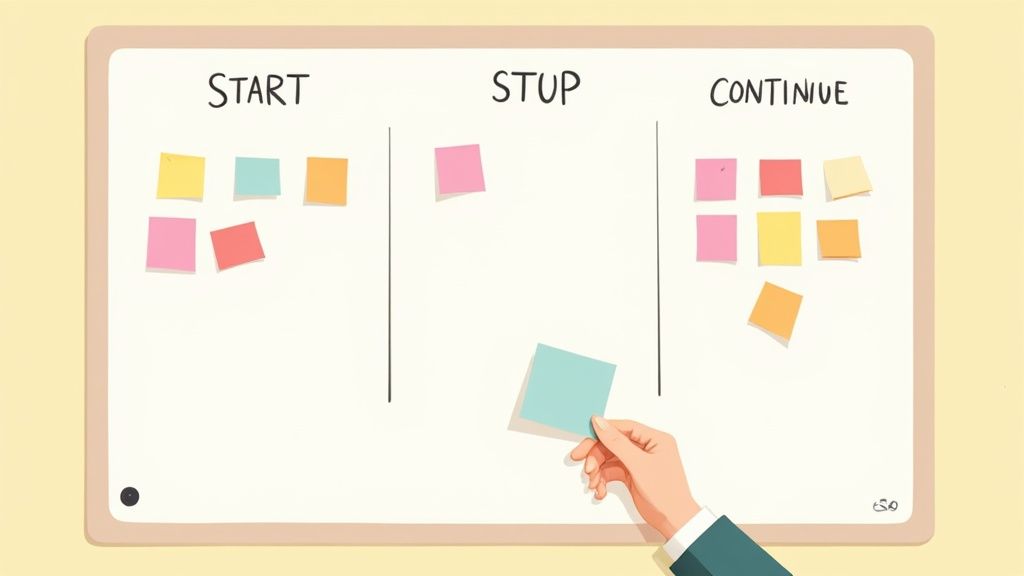
Unlike some retros that can get deep into feelings and emotions, this framework is all about action. Every category—Start, Stop, and Continue—points directly to a type of change. You’re either proposing a new idea, calling out something to eliminate, or reinforcing a positive habit. This practical focus is fantastic for turning abstract feedback into an actual to-do list for the next work cycle.
The Three Pillars of Start Stop Continue
The magic of the framework lies in how these three pillars work together. Each one serves a specific purpose, and a healthy retrospective gives equal weight to all three. This balance is what prevents the meeting from turning into a venting session.
To make it crystal clear, here’s a quick breakdown of what each category is for.
The Three Pillars of Start Stop Continue
| Category | Core Purpose | Example Questions | Desired Outcome |
|---|---|---|---|
| Start | To introduce new ideas, processes, or behaviors. | "What new tool could improve our workflow?" | Innovation and adoption of new, beneficial practices. |
| Stop | To identify and eliminate obstacles or inefficiencies. | "Which meetings consistently lack a clear purpose?" | Removal of friction and wasted effort. |
| Continue | To recognize and reinforce successful actions. | "What communication channel has been most effective?" | Preservation of positive momentum and team strengths. |
As you can see, each pillar prompts a different kind of thinking, leading to a well-rounded and actionable plan.
Fostering a Culture of Improvement
The real goal here isn’t just to have one good meeting. It’s about building a sustainable habit of improvement. When you regularly use the Start-Stop-Continue format, it creates a predictable, safe space for the team to be honest. That psychological safety is the foundation for genuine feedback.
If your team is looking to build out its Agile toolkit, you can find more techniques in our collection of comprehensive guides.
The real value of this framework lies in its balance. By dedicating equal time to what's working ('Continue') and what isn't ('Stop'), it prevents the session from becoming a complaint-fest and ensures positive behaviors are celebrated and reinforced.
This isn't just theory; the impact is measurable. Companies that adopt these kinds of structured feedback methods often see a 20-30% increase in employee engagement within the first year. On top of that, regular sessions have been shown to cut down project delays by nearly 15%.
Ultimately, this framework empowers teams to own their process. Instead of waiting for a manager to tell them what to fix, they are the ones spotting issues and designing solutions together. That sense of ownership is a massive driver for both engagement and performance.
How to Run a Productive Retrospective Session
Getting a Start Stop Continue session to feel genuinely productive—and not just another meeting on the calendar—really comes down to thoughtful preparation and a bit of skilled facilitation. It’s one thing to ask three questions; it's another thing entirely to create an environment where everyone feels they can be honest.
The goal isn't to create a massive, overwhelming list of complaints. It's to walk away with a handful of focused, agreed-upon improvements the team can actually tackle. Let's walk through how to guide your team from a blank board to a clear action plan.

Preparing for a Successful Session
The groundwork you lay before the retro even starts can make or break it. If you just rush into it, you’ll likely be met with disengaged participants and a discussion that goes nowhere fast.
First things first: pick your tools. If you’re all in the same room, you can't go wrong with a classic whiteboard, three columns, and a fresh pack of sticky notes. For remote or hybrid teams, a digital whiteboard is a must. Tools like Miro or Mural are fantastic because they let everyone contribute at the same time, often anonymously.
Before the meeting, send out a quick agenda. Be crystal clear about the objective. Are you focused on the last sprint? A specific project that just wrapped? Or the team's general way of working? Defining the scope helps people show up ready with relevant feedback, not just whatever is top of mind.
Setting the Stage for Openness
The success of any retrospective is built on a foundation of psychological safety. If people are worried about being judged or blamed, you’re only going to get polite, surface-level comments. Your first job as a facilitator is to make the room feel safe.
Kick things off by reminding everyone of the prime directive of retrospectives:
"Regardless of what we discover, we understand and truly believe that everyone did the best job they could, given what they knew at the time, their skills and abilities, the resources available, and the situation at hand."
This little statement is powerful. It immediately shifts the conversation away from individual blame and toward improving the system as a whole. After that, it helps to establish a few ground rules.
- One conversation at a time: Simple, but crucial for making sure people actually listen.
- Focus on process, not people: We’re here to fix workflows, not critique colleagues.
- Seek to understand, not to debate: Encourage curiosity over defensiveness.
- Everyone participates: Make it clear that every single voice matters.
Guiding the Brainstorming Process
Okay, the stage is set. Now it’s time to get the ideas flowing. One of the best ways to hear from everyone—not just the most outspoken person in the room—is to start with silent brainstorming. Give the team a solid 10-15 minutes to quietly jot down their thoughts for each of the three categories on separate sticky notes.
This technique is a game-changer. It prevents groupthink and gives more introverted team members the space to contribute without having to fight for airtime. As they write, encourage them to be specific. A note that says "Stop bad meetings" isn't very helpful. A better one would be, "Stop holding daily stand-ups without a clear agenda."
Once the time is up, have everyone bring their notes to the board and place them in the "Start," "Stop," or "Continue" columns. This creates an instant visual snapshot of the team’s collective brainpower and sets you up perfectly for the next step.
Structuring the Discussion and Grouping Ideas
With the board now covered in ideas, it's time to bring some order to the chaos. As the facilitator, start by reading each note aloud. If a note is a bit vague, ask the person who wrote it (if they’re comfortable) to add a little more context.
As you go, you’ll start to see patterns emerge. Group similar notes together into themes. Maybe you'll find a cluster of stickies about communication breakdowns, another about inefficient meetings, or a few celebrating a tool that’s really working well. This clustering helps the team see the bigger picture.
Make this a collaborative effort. Ask the group questions like, "Does this note feel like it belongs over here with this other group?" Getting everyone involved in organizing the ideas builds a shared understanding and buy-in for what comes next.
Prioritizing and Creating Action Items
Here’s where many retrospectives fall flat: you end up with a huge list of great ideas but no clear path forward. To avoid that trap, the final part of the session must be laser-focused on prioritizing and creating concrete actions. A simple and democratic way to do this is dot voting.
Give each person three to five "dots" (you can use markers or digital stickers) and let them vote on the themes or items they feel are most important. They can put all their votes on one big issue or spread them out. This quickly reveals the team's collective priorities. This simple democratic technique is surprisingly effective; in fact, teams that use it often see over a 30% rise in follow-through on actions compared to less structured methods. You can learn more about the strategic benefits of the Start Stop Continue framework and why it works so well.
Once the top two or three priorities have been identified, the final task is to turn them into real action items. A solid action item has three key ingredients:
- Specific: It’s crystal clear what needs to be done.
- Owned: One person volunteers to be the point person.
- Time-bound: It has a realistic deadline.
So, instead of a vague goal like "Improve our code reviews," you get something powerful: "Sarah will create and share a standardized code review checklist with the team by the end of this week." That level of clarity is what turns a good conversation into a retrospective that actually drives change.
Mastering the Art of Retrospective Facilitation
A Start-Stop-Continue retrospective's success doesn't come from the framework itself—it comes from the person leading the conversation. A great facilitator does more than just draw three columns on a whiteboard. They build an atmosphere of trust, guide the discussion with a steady hand, and make sure the session ends with real change, not just a list of complaints.
Think of yourself as the guardian of the process, not a manager giving orders. Your job is to steer the conversation, make sure every voice gets heard, and keep the team focused on constructive, forward-looking ideas. It’s a subtle art, blending active listening with gentle redirection when things get off track.
Build Momentum by Starting with the Wins
Here's a pro tip that can completely change the dynamic of your retrospective: don't follow the "Start, Stop, Continue" order. Seasoned facilitators know that flipping this around is a simple but powerful psychological move.
Always kick things off with the Continue column.
By starting with what the team is already doing well, you immediately inject positive energy into the room. It’s a great way to reinforce strengths, celebrate small wins, and remind everyone that the goal here is to get better together, not to assign blame. This simple shift creates a much safer space for the tougher feedback that will come later.
This isn't just about feel-good vibes; it’s backed by how our brains process feedback. The framework is already smart, with about two-thirds of its focus on positive reinforcement (Start and Continue). When you facilitate in a 'Continue, Stop, Start' order, you can generate up to 15% more creative ideas. That initial positivity builds the psychological safety needed for people to open up. If you're curious about the science, you can explore the research on feedback framing and its impact.
After celebrating what works, move on to the Stop column. The team can now address pain points while still feeling the momentum from the positive start. Then, wrap it all up with the Start column to end the session on a high note, focused on fresh ideas and exciting possibilities.
Navigating Challenging Team Dynamics
Every team is a unique mix of personalities, and a skilled facilitator comes prepared to manage them all. You'll definitely run into a few common archetypes, and having a game plan is key.
- The Dominant Speaker: This person is full of great ideas but might unintentionally talk over everyone else. To bring more voices into the mix, try saying, "Great point, Alex. I'd love to hear from someone who hasn't had a chance to speak yet." Using a few minutes of silent brainstorming on sticky notes at the beginning also works wonders to level the playing field.
- The Quiet Participant: Some folks are just naturally more reserved. Putting them on the spot is the worst thing you can do. Instead, create low-pressure ways for them to contribute. Dot voting is fantastic for this, or you can ask them to simply read a sticky note from a theme cluster they seem interested in.
- The Problem-Finder: This team member is a master at spotting what’s broken but might not jump to solutions. When they raise a valid issue, first validate their concern. Then, pivot the conversation by asking, "That's a really important obstacle you've highlighted. What's one small thing we could start doing to make that better?"
A facilitator's primary job is to be the advocate for the quietest person in the room. When you create a space where they feel safe to speak, you unlock insights the team would otherwise miss.
Common Pitfalls and How to Avoid Them
Even with the best intentions, a retrospective can quickly go off the rails. Knowing what the common traps are is the first step to sidestepping them entirely. A productive session demands that you stay vigilant and prevent these issues from derailing the team's progress.
The table below breaks down some of the most frequent mistakes facilitators run into and gives you practical solutions to keep your meeting on track.
| Common Pitfall | Why It Happens | Solution |
|---|---|---|
| Turns into a Complaint Fest | The team gets stuck in the "Stop" column, and the mood turns negative and demoralizing. | Always start with the "Continue" column to build positive energy. Use a timer to box the discussion for each category and ensure a balanced conversation. |
| No Actionable Outcomes | The discussion is lively and insightful, but it ends without clear, assigned tasks. Nothing changes. | Dedicate the last 15 minutes of the session exclusively to creating SMART action items. Every single item needs one owner and a deadline. |
| Lack of Follow-Through | Action items are created but then forgotten, which kills the team's trust in the whole process. | Kick off your next retrospective by reviewing the action items from the previous one. This creates a powerful accountability loop and proves that their feedback matters. |
| Assigning Blame | The conversation shifts from "what went wrong" to "who messed up," destroying psychological safety. | Gently but firmly redirect the conversation back to processes, not people. Remind the team of the retrospective's prime directive: everyone did their best with the information they had. |
Keeping these potential issues in mind will help you steer clear of them and ensure that every retrospective you run is a valuable, positive experience for the entire team.
Templates and Prompts to Get You Started
Staring at a blank whiteboard—physical or digital—can be a bit daunting. But all you really need to get the ball rolling are the right prompts and a simple structure. The goal is to make it incredibly easy for your team to dive in and start sharing.
You don't need anything fancy. The beauty of the start stop continue retrospective is its simplicity. A basic three-column layout is usually all it takes to get things moving.
Simple Templates for Any Context
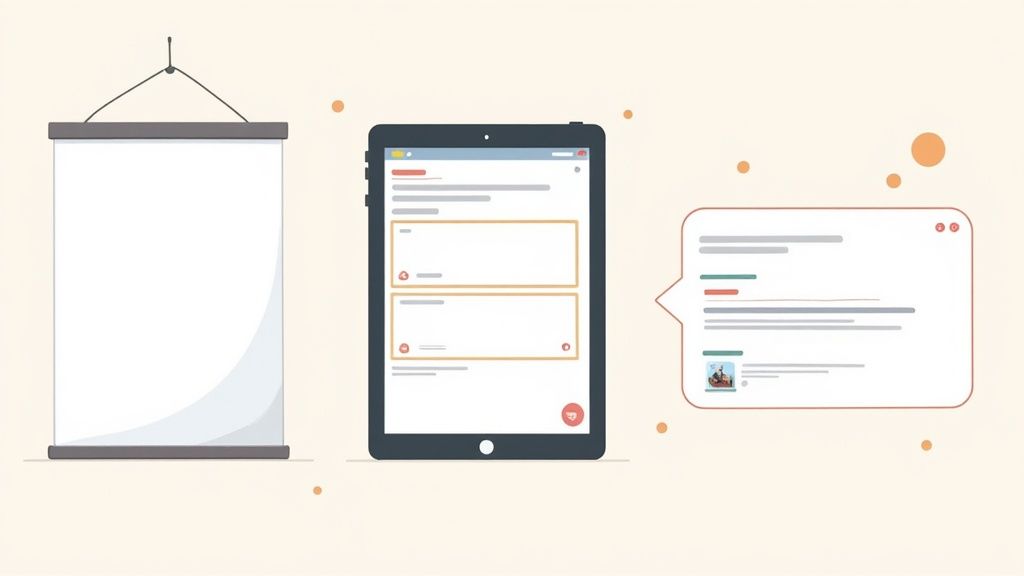
Whether your team is in the same room or spread across the globe, you can make this format work. The core structure is always the same; only the medium changes.
- Physical Whiteboard: The go-to for in-person teams. Just grab a marker, draw three lines to make your columns, and pass around the sticky notes. There's something about the physical act of writing and posting that really gets people engaged.
- Digital Whiteboard (Miro/Mural): An absolute lifesaver for remote or hybrid setups. Most of these tools have ready-made retro templates, but creating your own is just a matter of adding three shapes. Plus, they allow for anonymous feedback and make grouping similar ideas a breeze.
- Asynchronous (Slack/Teams): When you have folks in different time zones, an async retro is the way to go. You can create a dedicated channel or thread, posting each category as a separate message. This gives everyone a day or two to add their thoughts as they have time.
The best template is the one your team actually uses. Don't overcomplicate it. The real value is in the conversation the template sparks, not the template itself.
Prompts to Spark Deeper Thinking
Sometimes, a team needs a little nudge to get past generic feedback like "better communication." Vague comments are tough to act on. The right questions, on the other hand, can unlock specific, insightful, and genuinely helpful ideas. For more ways to frame your discussion, this sprint retrospective template offers some great additional inspiration.
Here are a few prompts I've used to get the conversation flowing in each category.
Start Prompts (Focus on Innovation)
These questions are all about unearthing new opportunities and encouraging the team to think proactively.
- What’s one thing that could save us a significant amount of time each week?
- Is there a new tool or process we should experiment with?
- What skill could we learn that would make our work better?
- What’s something another team does that we could borrow?
- How could we improve the way we give and receive feedback?
Stop Prompts (Focus on Elimination)
The goal here is to pinpoint bottlenecks, trim inefficiencies, and remove anything that’s just getting in the way.
- Which meeting consistently feels like a waste of our time?
- What task do we dread doing the most, and why is that?
- Is there a process that’s become overly complicated or bureaucratic?
- What’s a recurring distraction we should just get rid of?
- Are we holding onto any tools or subscriptions we don’t really use anymore?
Continue Prompts (Focus on Reinforcement)
It's just as important to recognize what's going right. These questions help amplify the team's strengths and build positive momentum.
- What was a recent "win" and what exactly made it possible?
- Which part of our workflow feels the most efficient and smooth?
- What’s one team habit that makes you feel supported and effective?
- When did you feel most proud of our work during the last sprint?
- What’s been our most effective method of communication lately?
Turning Feedback into Actionable Outcomes
All that great feedback from your retrospective? It's just noise if you don't do anything with it. The real magic of a Start-Stop-Continue session isn't in the ideas themselves, but in the changes you actually make. This is where the rubber meets the road—connecting the team's conversation to the work you'll tackle in the very next sprint.
The whole point of the meeting leads to this moment: turning the top-voted feedback into concrete action items. If you rush this part or, even worse, skip it, you'll see trust in the process evaporate. People need to see their input leads to real, positive change.
From Vague Ideas to Concrete Tasks
So, how do you get from a broad suggestion to a task someone can actually do? A team might agree to "Stop inefficient meetings," but what does that really mean? It's a great sentiment, but without a clear definition, nothing is going to change. You have to break it down.
Let's take that "Stop inefficient meetings" idea and turn it into explicit actions:
- Implement a required agenda for all recurring team meetings, sent out 24 hours in advance.
- Assign a rotating timekeeper for each meeting to keep things moving.
- Establish a "no agenda, no attenda" policy so people can decline meetings that lack a clear purpose.
See the difference? There's no ambiguity. Everyone knows exactly what's expected. Getting this specific is a non-negotiable part of good change management and lines up perfectly with sprint planning best practices.
The Importance of Clear Ownership
An action item without an owner is an orphan. It’s a task that will almost certainly be forgotten by the next stand-up. Every single commitment that comes out of your retrospective needs one person's name next to it. That person isn't necessarily doing all the work, but they are the champion—the one responsible for seeing it through.
An action item without a name next to it is just a wish. Assigning ownership is the single most important step in ensuring follow-through.
I always ask for volunteers first. You'll find that the people most passionate about an issue are the most likely to drive it forward. If you get crickets, the team should have a quick chat about who is best positioned to take it on.
Crafting SMART Action Items
To keep things crystal clear, I recommend using the SMART framework for every action item. It’s a simple acronym, but it’s incredibly effective at turning good intentions into solid plans.
- Specific: What, exactly, are we doing?
- Measurable: How will we know it’s done?
- Achievable: Is this realistic for one person or the team?
- Relevant: Does this solve the problem we identified?
- Time-bound: When does it need to be done?
Let’s say the team wants to "Start improving our documentation." A vague goal. Here’s what it looks like as a SMART action item:
John will create a one-page template for documenting new components and share it with the team for feedback by this Friday.
That’s a world of difference. It’s clear, it has a deadline, and it defines a real deliverable.
Integrating Actions into Your Workflow
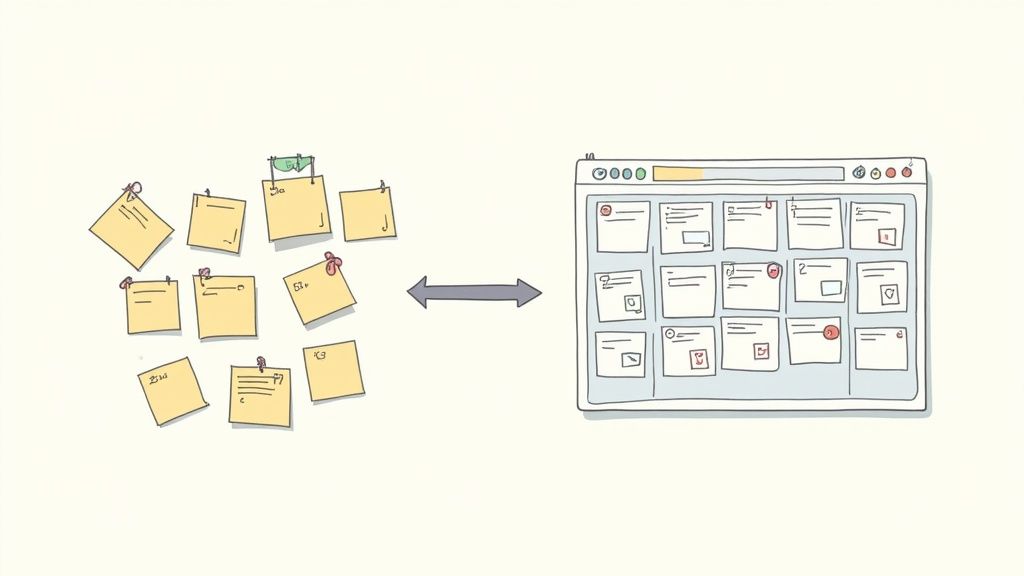
Okay, you've got your SMART action items and they all have owners. The final, critical step is to get them out of the meeting notes and into your team's daily workflow. Whether you use Jira, Asana, Trello, or a physical whiteboard, these items need to live where the work happens.
Create a ticket or a card for each action. This makes it a visible, official part of the upcoming sprint. It gets the same attention as any other user story or bug fix. A pro tip: use a specific tag, like "Retro-Action," to make these items easy to find. At the beginning of your next retrospective, you can quickly pull them up and review progress. This simple habit creates a powerful accountability loop and proves to everyone that their feedback isn't just heard—it's acted on.
Got Questions About Start Stop Continue?
Even a simple framework like Start Stop Continue can bring up a few questions when you first start using it. Let's clear up some of the most common ones I hear from teams so you can run your sessions with confidence right out of the gate.
Getting a handle on these details helps take the guesswork out of the process for everyone.
How Often Should We Actually Do This?
There’s no magic number here—the right frequency really depends on your team's natural rhythm and how you work. But there are a couple of solid rules of thumb.
- Agile Teams: Tacking it onto the end of every sprint (usually every 1-4 weeks) is a fantastic cadence. It creates a tight, consistent feedback loop that fits perfectly with the iterative nature of agile development.
- Project-Based Teams: A monthly or quarterly check-in often hits the sweet spot. This gives you enough time to get real work done and gather meaningful insights, but not so much time that important details are forgotten.
The key takeaway? Consistency. When the retro is a regular, expected part of the routine, it becomes a healthy habit, not just a reaction when something goes wrong.
Can I Use This for One-on-Ones?
Absolutely. While Start Stop Continue is a rockstar for team retrospectives, its simple, direct structure makes it incredibly effective for individual feedback and personal development. I've seen it completely change the dynamic of one-on-one reviews.
Instead of a generic performance review, a manager can frame the conversation like this:
- "What's one thing you could start doing to really accelerate your growth here?"
- "Is there anything you feel you should stop doing that might be getting in your way?"
- "What are you continuing to do that's a huge asset to the team? Let's make sure we protect that."
This simple shift turns a potentially awkward review into a forward-looking coaching session. It feels collaborative, not critical, and opens the door for a much more honest chat about career development.
The real power of Start Stop Continue shines through in individual coaching. It provides a balanced, action-oriented structure that empowers people to own their professional growth.
How Is This Different from Other Retro Formats?
The biggest difference is its laser focus on action. Other popular formats are great, but they often serve a different purpose.
For instance, a "Mad Sad Glad" retro is designed to tap into the team's emotional journey during a project. Formats like the "4Ls" (Liked, Learned, Lacked, Longed For) are more for deep reflection and analysis.
Start Stop Continue, on the other hand, is the most direct route from conversation to action. Every single piece of feedback is inherently a suggestion for change: start something new, get rid of something that isn't working, or double down on something that is. It’s the perfect choice when you want to walk out of the room with a concrete improvement plan.
Ready to make your team's planning and estimation sessions as clear and actionable as your retrospectives? Scrum Planning Poker offers a free, no-signup tool to help your team achieve consensus quickly and efficiently. Start your first session in seconds at https://onlineplanningpoker.com.