
Sprint Retrospective Template: Boost Your Agile Improvements
A good sprint retrospective template is more than just a list of questions. It's a structured guide that steers your team through a conversation about what went right, what went wrong, and—most importantly—what we can do better next sprint. Think of it as a framework that keeps the meeting focused and productive, turning what could be aimless complaining into real, actionable improvements.
Why a Great Retrospective Template Matters
Let's be honest—a lot of sprint retrospectives fall flat. They can easily devolve into unstructured venting sessions where the same problems get rehashed sprint after sprint, with no resolution in sight. Or worse, they become a stale routine the team just goes through the motions to complete, ticking a box without any real commitment to getting better.
Without a solid framework, these meetings drift. Some team members might not feel comfortable speaking up, leading to silence and disengagement, while others might dominate the conversation. But the biggest failure I see is the lack of clear, actionable outcomes. Great ideas surface, only to vanish into thin air because no one takes ownership or follows through. This cycle is a killer for team morale and makes the whole process feel like a colossal waste of time.
From Frustration to Focused Improvement
This is where a well-designed sprint retrospective template completely changes the game. It's not just a document; it's a tool that builds psychological safety and provides a predictable structure for an honest, productive conversation. This structure ensures every voice is heard and guides the discussion toward concrete solutions.
By using specific prompts and activities, a template helps the team dig deeper than surface-level complaints to uncover the root causes of their challenges. A structured approach helps in a few key ways:
- Creates Consistency: It sets up a reliable format, so the team knows exactly what to expect and can dive right into the important stuff.
- Encourages Participation: Different activities appeal to different personalities, which is great for helping more introverted team members share their valuable insights.
- Drives Action: The best templates are built to end with a clear list of action items, each with an owner. No more "someone should do this."
- Builds Momentum: When the team sees their feedback from one retro lead to real improvements in the next sprint, their buy-in and engagement skyrocket.
Making this shift from chaotic complaint sessions to structured improvement meetings is where real agile progress happens. It's similar to how structured estimation techniques improve forecasting; you can explore the benefits of using Planning Poker to see how frameworks bring clarity to other agile ceremonies as well.
The Measurable Impact of Consistency
The value of a structured approach isn't just a gut feeling. The data backs it up. Teams that stick with consistent sprint retrospectives achieve far better outcomes. In fact, teams with regular retros show 24% greater responsiveness and 42% higher quality in their work, with much less variability in their results. This shows just how much a disciplined feedback loop can directly boost performance. You can find more insights on how retrospectives boost agile meetings and their impact.
A retrospective without action items is just a complaint session. The template's primary job is to guide a team from reflection to commitment, turning observations into tangible tasks for the next sprint.
At the end of the day, a great template isn't about restricting the conversation; it’s about enabling it. It provides the guardrails that allow a team to safely explore what’s holding them back and, more importantly, decide together how to move forward—stronger and more aligned than before.
The Anatomy of a Successful Retrospective
To get the most out of any sprint retrospective template, you need to understand its DNA. A great retrospective isn't just a random Q&A session; it's a carefully crafted five-stage journey that guides a team from a simple check-in to real, tangible action. This framework, made famous by agile pioneers Esther Derby and Diana Larsen, is the engine that drives meaningful improvement.
Think of it like a natural conversation. You wouldn't dive into a deep, complex topic without a bit of a warm-up, and you certainly wouldn't walk away without deciding what comes next. These five phases create a flow that builds trust, uncovers the real issues, and makes sure the meeting actually leads somewhere.
This visual captures how a structured template helps a team move from tangled chaos to focused, actionable improvements.
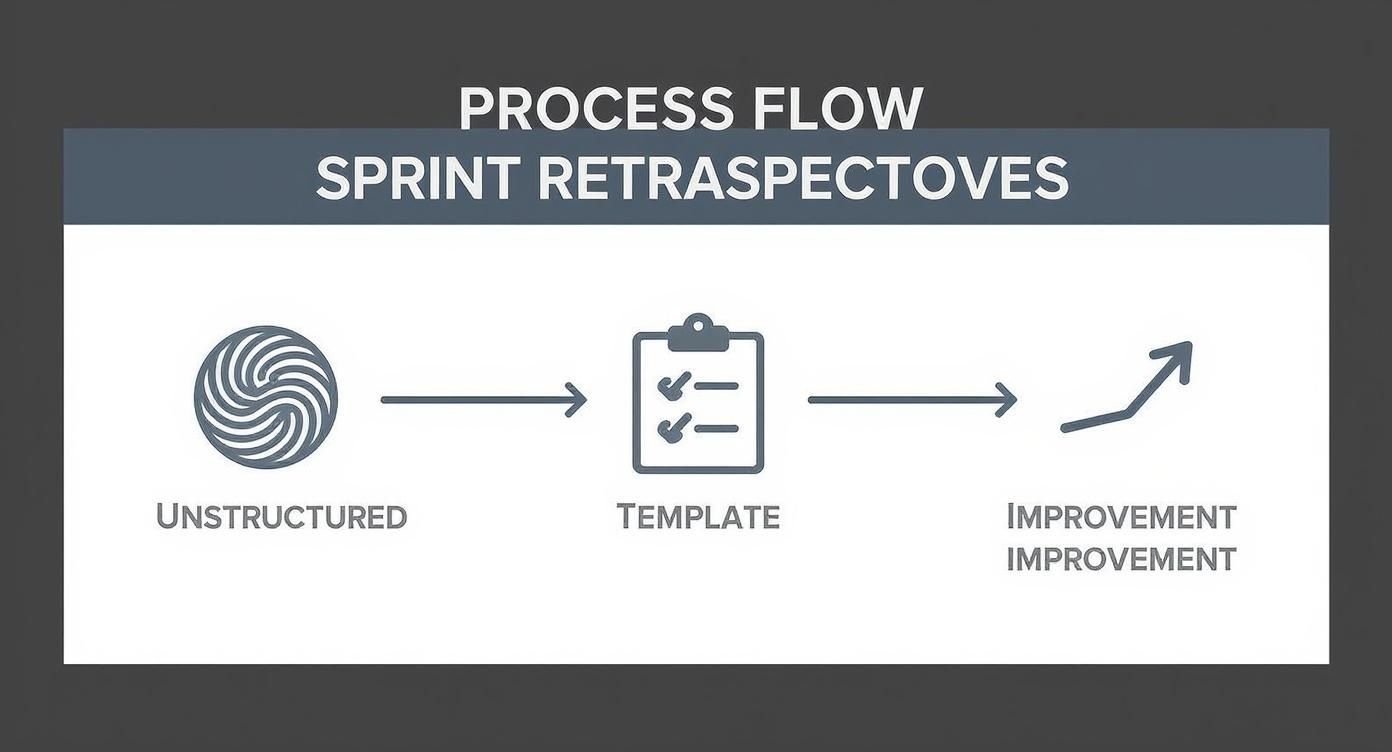
Ultimately, a good template acts as the bridge between messy problems and clear, simple steps forward.
The Five Stages of a Sprint Retrospective
This entire process is designed to be a guided conversation, with each stage building on the last. To help you facilitate, here’s a quick breakdown of what you're trying to achieve in each phase.
| Stage | Purpose | Example Activities |
|---|---|---|
| Set the Stage | Create psychological safety and get everyone mentally present. | A quick icebreaker, a one-word check-in, or sharing the meeting's goal. |
| Gather Data | Build a shared, objective picture of the sprint. | Brainstorming on "What went well?" and "What didn't?", creating a timeline of key events. |
| Generate Insights | Move from what happened to why it happened. | Grouping related ideas, using the "5 Whys" technique to find root causes. |
| Decide What to Do | Choose 1-2 small, actionable improvements for the next sprint. | Dot voting on the most important insights, defining SMART action items. |
| Close the Retro | Summarize actions, appreciate the team, and get feedback on the meeting. | A quick round of "kudos," confirming action item owners, a ROTI (Return on Time Invested) poll. |
Seeing these stages laid out makes it clear that a retrospective has a deliberate and powerful flow. Rushing or skipping a stage is a common pitfall that often leads to ineffective meetings.
Laying the Groundwork: Set the Stage
The first five to ten minutes are absolutely crucial. Your only goal here is to get everyone present, both physically and mentally. This isn't the time to start digging into problems; it's about creating a safe space where people feel comfortable enough to be honest later.
I always start with a quick icebreaker or a check-in question. It helps the team switch gears from whatever they were just doing and focus on the meeting. This simple act reminds everyone that they’re a team working together, which sets a much more positive and collaborative tone.
Uncovering the Facts: Gather Data
With the mood set, it's time to build a shared picture of the last sprint. The goal is to move beyond individual memories and create a collective understanding of what actually happened. Think of this as gathering evidence—both the hard facts and the subjective feelings—not finding solutions. Not yet.
You can ask the team to create a timeline of key events or use classic prompts to collect data points. Common starting points are:
- What went well? This helps you spot positive patterns you want to keep doing.
- What didn't go so well? This is where you uncover the challenges and pain points.
- What did we learn? This is for capturing those "aha!" moments or unexpected outcomes.
It's so important that everyone contributes. From my experience, using anonymous sticky notes on a digital whiteboard like Miro or Mural is a fantastic way to ensure all voices are heard, not just the loudest ones in the room.
Connecting the Dots: Generate Insights
You have the raw data. Now comes the most important part: figuring out the "why" behind it all. This is where the team digs deeper, looking for patterns, root causes, and systemic issues. I’ve seen so many teams make the mistake of rushing this stage, and it always leads to treating symptoms instead of the actual disease.
A team that only discusses what happened without asking why it happened will almost certainly face the same problems in the next sprint. Generating insights is the pivot point from simply reflecting to truly improving.
A technique I find incredibly effective here is the "5 Whys." By repeatedly asking "why" something happened, teams can drill down past the surface-level explanation to find the real issue that needs fixing.
Committing to Change: Decide What to Do
This is where the conversation pivots to action. Based on the insights you've uncovered, the team commits to a small number of concrete improvements for the next sprint. The keywords here are small and actionable.
Trying to fix everything at once is a classic recipe for disappointment. Instead, the team should pick the one or two issues that will have the biggest impact and create clear, measurable action items. A solid action item has a few key traits:
- Specific: Everyone knows exactly what needs to be done.
- Owned: Someone on the team volunteers to champion it and see it through.
- Realistic: It’s something that can actually be accomplished in the next sprint.
Dot voting is a brilliantly simple way to democratically decide where to focus. It gives everyone a say and builds immediate buy-in for the chosen actions.
Wrapping It Up: Close the Retrospective
Finally, always close the meeting with intention. Don't just let it fizzle out. This last phase is for summarizing the action items, appreciating the team's hard work, and gathering a little feedback on the retrospective itself. A quick "return on time invested" (ROTI) poll can give you priceless feedback on how to make the next one even better.
Ending on a positive and appreciative note reinforces the value of the whole process. It sends everyone back to their work feeling heard, respected, and ready to make the next sprint the best one yet.
A Ready-to-Use Sprint Retrospective Template
Theory is great, but let's get our hands dirty. Here is a complete, field-tested sprint retrospective template you can grab and use in your very next meeting. We're going to focus on the "Start, Stop, Continue" format because its powerful simplicity just plain works. It’s one of the most versatile approaches I’ve ever used, and it scales beautifully whether your team is brand new or full of seasoned pros.
Of course, a template is just a map; a good facilitator is the one who actually guides the journey. To make this truly effective, I’m also laying out a detailed facilitator’s script. Think of it less as a word-for-word speech and more as a series of conversational prompts and questions to keep the discussion moving. This structure helps your session feel both productive and natural, cutting through awkward silences and keeping the energy up.
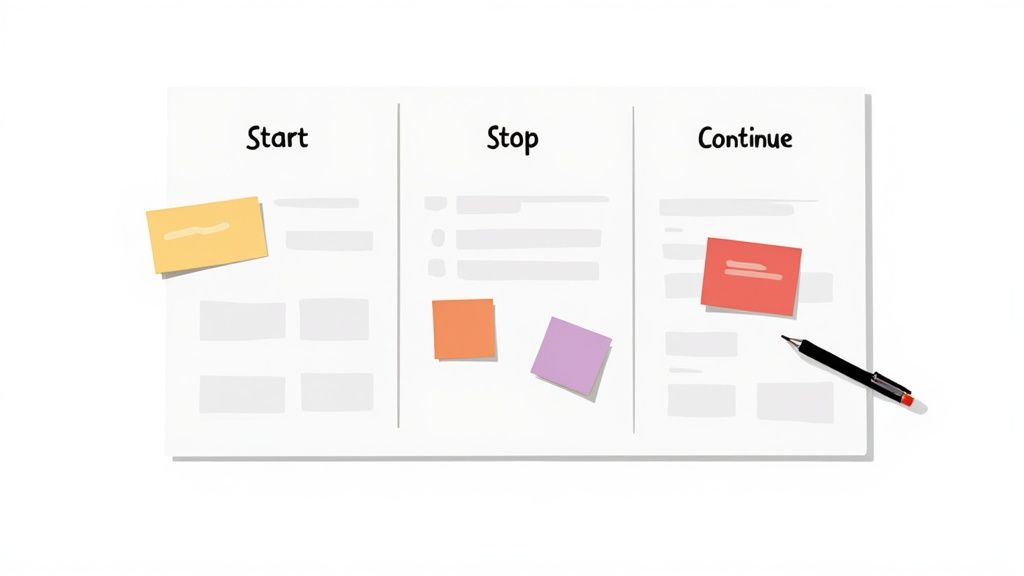
The Start Stop Continue Template
This entire format hinges on three simple questions, each designed to pull out a different kind of feedback. It’s direct, easy for everyone to grasp, and immediately pushes the team toward making real, actionable changes.
- Start Doing: What new ideas, tools, or behaviors should we try in the next sprint? This is all about encouraging innovation and getting ahead of problems before they start.
- Stop Doing: What’s getting in our way, wasting time, or just not adding value? Pinpointing these roadblocks is the first step to removing friction.
- Continue Doing: What’s working so well that we need to protect it? This is absolutely critical for recognizing what’s going right and reinforcing good habits.
This balanced approach stops the meeting from becoming just a complaint session. By celebrating wins and brainstorming new ideas, you keep morale high and build a genuine culture of continuous improvement.
Facilitator's Script and Guide
Here’s a breakdown of how to run a 60-minute "Start, Stop, Continue" retrospective. The timings are just a guideline—the most important thing is to read the room and adjust based on how the conversation is flowing.
Part 1: Set the Stage (5-10 Minutes)
Your only job here is to create a safe, positive space where people feel comfortable speaking up. This is the warm-up, and it sets the tone for everything that follows.
Facilitator's Opening Script:
"Hey everyone, welcome to the retrospective. For the next hour, our goal is simple: have an open, honest chat about the last sprint so we can make the next one even better. This is a blame-free zone. We’re looking at our process and how we work, not pointing fingers. Every voice matters here, so let's make sure we all jump in."
Icebreaker Activity (Pick One):
- One-Word Check-in: "Let's go around the room. In one word, how did the last sprint feel?" It's quick, low-pressure, and gives you an instant temperature check of the team's mood.
- Something Good: "Share one good thing—work-related or not—that happened to you this past week." This starts things on a positive, human note.
Part 2: Gather Data (10-15 Minutes)
This is the silent brainstorming phase. The goal is to get all the ideas out on the table without any discussion or judgment just yet.
Facilitator's Script:
"Alright, let's get our thoughts down. We’ll be using the 'Start, Stop, Continue' format. I'm going to set a timer for 10 minutes. During that time, I want everyone to silently write down their ideas on sticky notes—physical or virtual. Don't filter yourself or worry if someone else wrote the same thing. Just get it all out there. One idea per note, please."
Instructions for the Team:
- Start Doing: What new things should we try? (e.g., "Start pair programming on complex tickets.")
- Stop Doing: What's slowing us down or not working? (e.g., "Stop having meetings without a clear agenda.")
- Continue Doing: What's going well that we must protect? (e.g., "Continue our daily 10-minute bug triage.")
If your team is remote, a digital whiteboard like Miro is your best friend. The anonymity of digital stickies can often encourage even more candid feedback from quieter team members.
Part 3: Generate Insights (20 Minutes)
Now it's time to make sense of everything you've collected. This part is all about collaboration, discussion, and building a shared understanding.
Facilitator's Script:
"Awesome, look at all these ideas. Now, let’s talk through them. I'll read each note aloud, and if you wrote it, I'll ask you to give us a bit more context. We'll start grouping similar ideas together as we go. We're not trying to solve anything yet—the goal here is just to make sure we're all on the same page."
Key Facilitation Activities:
- Read and Clarify: Go through each note. Ask open-ended questions like, "Can you tell me more about this?" or "What's a specific example of when this happened?"
- Theme Grouping: As the discussion unfolds, start clustering related sticky notes. You might end up with groups like "Communication," "Testing Process," or "Meeting Efficiency."
- Identify Patterns: Once you have some clusters, point them out. "What patterns are we seeing here? It looks like a lot of us have thoughts on our code review process. What does that tell us?"
This is where the magic happens. A common mistake is to rush through this discussion just to get to the action items. The real value of a retro comes from the shared understanding the team builds right here. Don't cut it short.
Part 4: Decide What to Do (10 Minutes)
With a shared understanding of the problems, the team is now ready to create change. The key is to be realistic and pick only a few high-impact items to focus on.
Facilitator's Script:
"This has been a great discussion, and we’ve surfaced some really important themes. Since we can't fix everything at once, let's pick one or two things to really focus on for the next sprint. We're going to use dot voting to help us decide."
Dot Voting Process:
- Give every team member three dots (or votes).
- Ask them to place their dots on the themes or individual notes they feel are most critical to address right now.
- They can put all three dots on one issue or spread them out—it's up to them.
Creating Action Items:
Once the votes are in, take the top-voted items and turn them into concrete actions. For each one, work with the team to answer:
- "What is the very first, small step we can take to improve this?"
- "Who will volunteer to own this action item?" (An owner isn't the only one who does the work, but they are responsible for making sure it doesn't get forgotten).
- "How will we know if we've succeeded?"
A great action item is specific and measurable. Instead of "Improve communication," you want something like, "Ahmed will create a shared Slack channel for build status updates by the end of day one of the next sprint."
Part 5: Close the Retrospective (5 Minutes)
End the meeting on a high note, making sure everyone leaves feeling like it was time well spent.
Facilitator's Script:
"Excellent work, everyone. We’ve identified some powerful improvements and have clear owners for our action items. Let’s do a quick recap."
- Recap Actions: Quickly restate the action items and who owns them.
- Appreciation: "I just want to say thank you to everyone for being so open and constructive today. This is how we get better as a team."
- ROTI (Return on Time Invested): To get quick feedback on the meeting itself, ask everyone to rate it on a scale of 1 to 5. This will help you get better as a facilitator over time.
This complete sprint retrospective template and script gives you the structure you need to run a successful, engaging, and genuinely useful meeting that delivers real results.
Becoming a Better Retrospective Facilitator
Having a great sprint retrospective template is like having a solid recipe—it tells you the ingredients, but it doesn't make you a chef. The real magic of a retrospective comes down to the facilitator. The difference between a good retrospective and a great one lies in your ability to create a space where people feel safe enough to share what's really on their minds, not just what they think everyone wants to hear.
One of the toughest jobs for any facilitator is making sure every voice is heard and valued equally. It's all too easy for a meeting to get hijacked by a few dominant personalities, leaving the quieter, more reflective team members on the sidelines. Your job is to balance the scales.
This doesn't mean you need to shut down the talkative folks. It's about creating structured, inclusive moments for everyone to contribute. Simple techniques like silent brainstorming on sticky notes (real or virtual) or using an anonymous polling tool can be a game-changer for getting those initial, unfiltered thoughts out in the open.
Managing the Room
Once all the ideas are on the board, the real discussion begins. This is where you have to step in and actively guide the conversation.
If you notice one person is dominating, you can gently redirect the flow. A simple phrase like, "Thanks for that perspective, Alex. Let's zoom in on this cluster of ideas over here. I'd love to hear what others are thinking," can work wonders.
On the flip side, if someone's been quiet, you can invite them in without putting them on the spot. Try something like, "Sarah, you've got a ton of experience with our deployment pipeline. Do any of these points resonate with you?" The goal is to be inviting, not demanding.
Prioritizing what to focus on is just as important. When a team comes up with dozens of potential improvements, you can't tackle them all. This is where democratic methods come in handy.
- Dot Voting: This is a classic for a reason. Give everyone three or four "dots" to vote on the issues they see as most critical. It's a quick, visual way for the team to collectively decide where to focus its energy.
- Impact/Effort Matrix: For a more strategic view, take the top-voted items and plot them on a simple matrix. This helps everyone spot the quick wins—those high-impact, low-effort changes that can make a real difference right away.
These techniques ensure the conversation isn't dictated by the highest-paid person in the room and help build a sense of shared ownership over the solutions. You can see how easily meetings can get derailed by reading about the five common Planning Poker mistakes that also plague other agile ceremonies.
Handling Tough Conversations
Inevitably, you'll run into retrospectives where the conversation gets tense. Blame might start to surface, or the team could get bogged down by a problem that feels unsolvable. Your role is to steer the group back toward a constructive path.
If you feel the conversation shifting toward blame, reframe it immediately. Guide the team away from "who did this" and toward "what in our process allowed this to happen?" This small but powerful shift turns finger-pointing into collaborative problem-solving.
Keeping the meeting sharp and focused is another underrated skill. An analysis of over 30,000 retrospectives revealed that team satisfaction is highest in meetings that last between 31 and 45 minutes. The same data showed that smaller groups of 3 to 5 people reported the best outcomes, highlighting the power of intimate, focused discussions. A great facilitator knows that respecting the team's time is one of the best ways to keep them engaged.
Adapting Retrospectives for Remote Teams
Let's be honest: running a retrospective when your team is spread out across different cities, or even continents, brings its own unique headaches. That easy, in-person vibe of a conference room? It's gone, replaced by the often-stilted world of video calls. If you'm not careful, these virtual meetings can feel draining and disconnected, making it tough to build the trust you need for real, honest feedback.
The secret to a great remote retro isn't just about finding a good sprint retrospective template. It's about consciously creating an engaging virtual space that mimics the collaborative spirit of being in the same room.

Choosing Your Digital Toolkit
First things first: forget trying to manage a retro in a shared document. It's a recipe for chaos. To get this right, you absolutely need a digital whiteboard that can replicate the classic sticky-note experience. Tools like Miro and Mural were practically built for this. They allow everyone to contribute their thoughts in real-time—and anonymously, which is a game-changer for getting candid feedback.
When the entire team can add notes simultaneously instead of waiting for their turn to speak, it really levels the playing field. This is a huge win for quieter team members who might not want to interrupt on a busy video call. A well-structured digital board becomes your single source of truth, keeping everyone locked in and on the same page.
The right platform makes a measurable difference. For example, teams that use integrated retro tools within a platform like Jira have seen action item completion rates skyrocket from 42% to 78%. These tools also drive up active participation from 65% to 91% by providing asynchronous options, and they can cut your prep time from 30+ minutes down to just a few. You can find more data on how distributed agile teams run better retrospectives and the tools that help them get there.
Keeping the Energy High
We've all felt it: video call fatigue is real. To keep your team from zoning out, you have to intentionally structure your remote retro for interaction. One of my favorite techniques is asynchronous brainstorming.
Send out the link to your digital whiteboard an hour or even a full day before the meeting. Ask everyone to add their sticky notes in advance. This gives people time for deep, uninterrupted thought and means you can dive straight into a meaty discussion when the call starts.
This simple shift respects different working styles and time zones, and it makes your synchronous meeting time infinitely more productive.
Once the call is live, keep the momentum going with interactive elements.
- Digital Polls: Throw up a quick poll for fast decision-making or to get a pulse check on a topic without derailing the conversation.
- Timers: Keep a visible timer on-screen for each activity. It’s a simple trick that keeps everyone focused and the session moving.
- Virtual Icebreakers: Kick things off with a light, engaging question to get people comfortable and in the right headspace. A simple "What was the highlight of your week?" can work wonders.
This focus on remote-first practices is crucial for more than just retrospectives. In fact, many agile teams are finding that the same principles of clear communication and dedicated tooling are how remote teams master story point estimation. By adapting your ceremonies for the virtual world, you ensure that distance never becomes a barrier to genuine team collaboration and improvement.
Common Questions About Sprint Retrospectives
Even with a great template, running a sprint retrospective in the real world brings up a lot of practical questions. How you handle these can be the difference between a retro that feels like a pointless chore and one the team actually looks forward to.
Think of this as your troubleshooting guide. I've seen these issues trip up even seasoned facilitators, so having a plan for them will keep your retrospectives on track and delivering real value.
How Often Should We Change Our Retrospective Template?
This is a great question because it means you're already thinking about how to keep the process from getting stale. As a rule of thumb, it’s a good idea to stick with one format for at least a few sprints. Consistency helps the team get comfortable and makes it easier for everyone, including you, to spot recurring patterns.
But the moment you feel the energy dip or the conversation becomes predictable, that’s your cue to mix it up. I’ve seen successful teams rotate between two or three of their favorite templates every quarter. This simple change keeps things fresh and encourages people to think in different ways.
Not sure when it's time? Just ask the team. A quick "retro on the retro" at the end of the meeting will tell you everything you need to know.
What Is the Biggest Mistake When Using a Template?
Without a doubt, the most common mistake is treating the sprint retrospective template like a rigid script instead of a flexible guide. A facilitator who is more focused on getting to the next step than reading the room will kill the most important conversations before they even have a chance to breathe.
The template’s real job is to provide just enough structure to spark discovery, not to dictate every word.
A skilled facilitator knows when to pause, dig deeper with a follow-up question, or even go completely off-script if a critical insight is bubbling up. The goal is meaningful improvement for the team, not just checking boxes on an agenda. Always, always prioritize the conversation over the template.
Can We Use These Templates for Non-Technical Teams?
Absolutely. Retrospectives may have been born in the world of software development, but the core idea of continuous improvement is universal. Any team that works in cycles can benefit from this practice—marketing teams launching campaigns, sales teams hitting quarterly targets, you name it.
The trick is simply to adapt the language to fit their world.
- Instead of a "sprint," they might talk about a "project" or a "campaign."
- Instead of "bugs," they might discuss "customer complaints" or "process bottlenecks."
The fundamental questions are powerful for any team serious about getting better at what they do:
- What went well?
- What didn't go so well?
- What will we do differently next time?
How Do We Make Sure Action Items Actually Get Done?
This is the million-dollar question. Getting this right is what builds trust in the whole process. If action items from the retro constantly vanish into a black hole, your team will rightfully see the meeting as a waste of time and stop engaging.
Here’s a simple, three-part framework that creates a powerful accountability loop:
- Assign a Clear Owner: Every action item needs a single owner on the team. This isn’t the manager or Scrum Master; it's the person who will actually do the work.
- Make It Visible: Don't let it live in some forgotten document. Add the action item to the next sprint’s backlog or the team’s task board right away. It needs to be treated with the same importance as any other work.
- Review and Follow Up: This is the magic step. Start your next retrospective with a quick, two-minute review of the action items from the last one. This closes the loop, creates natural accountability, and proves to the team that their ideas lead to real change.
At Scrum Planning Poker, we believe that structured conversations lead to better outcomes. While retrospectives help you improve past processes, our tool is designed to bring that same clarity to your future work. Start an estimation session in seconds, invite your team, and make planning the most efficient part of your sprint. Try our free planning poker tool today!