
Your Guide to the Project Work Breakdown Structure
Imagine you're staring at a massive, complex project. It feels like being told to eat an elephant—impossible in one go. A project work breakdown structure (WBS) is your knife and fork. It's a simple but powerful tool that carves up that huge project into smaller, bite-sized pieces, making the impossible feel manageable.
Think of it as the project's family tree. At the very top, you have the final product, and branching down from there are all the major components, which then break down into even smaller, more detailed parts. It’s a visual map that shows everything you need to deliver to call the project "done."
Turning Project Chaos into Organized Clarity
Without a WBS, a project can quickly spiral into chaos. You know the final goal—build a house, launch a website—but the path to get there is a jumble of tasks, ideas, and dependencies. It’s easy for crucial details to get lost in the noise, leading to scope creep, missed deadlines, and blown budgets.
A WBS cuts through that confusion. It provides the structure needed to see the entire scope of work in one place. By breaking the project down layer by layer, you create a clear, hierarchical framework. The main project goal sits at the top, with each level below it providing more and more detail until you have small, self-contained units of work.
The Focus on Deliverables, Not Actions
Here’s where a lot of people get tripped up: a WBS is not a to-do list or a project schedule. Its magic lies in its focus on deliverables—the tangible "what"—rather than the actions, or the "how."
Let's say you're building a new mobile app. A task list might say, "Code the login screen." A WBS, however, would identify a deliverable called "User Authentication Module." That module then gets broken down into smaller work packages, like "Login Screen UI," "Password Reset Functionality," and "Social Media Integration." This subtle shift in focus is huge because it ensures every bit of effort is tied directly to a specific, required outcome.
A WBS turns an overwhelming mountain of work into a series of small, manageable hills. It transforms the abstract goal into a concrete plan, ensuring that every piece of effort has a clear purpose and place within the larger project scope.
This structured breakdown becomes the foundation for everything that follows. It acts as the single source of truth for what's in and out of scope. If it's not on the WBS, it's not part of the project—period. This clarity is a game-changer for a few key reasons:
- Improved Planning: With a clear view of all the components, you can create far more accurate cost estimates, allocate resources effectively, and build a realistic schedule.
- Enhanced Communication: Stakeholders, team members, and clients can look at the WBS and immediately understand the full scope of the project. No more misunderstandings.
- Clear Accountability: The smallest pieces of the WBS, the work packages, can be assigned to specific teams or individuals. Everyone knows exactly what they are responsible for delivering.
- Better Risk Management: When a project is broken down, it’s much easier to spot potential risks tied to specific components and plan for them ahead of time.
Ultimately, a WBS is about bringing organized, actionable clarity to what could otherwise be a messy, chaotic process. It’s the foundational map that guides all other project management activities, setting you and your team up for success right from the start.
The Core Principles That Make the WBS Work
So, what makes a WBS so powerful? It's not just a fancy to-do list. To really get the most out of it, you need to understand the handful of core principles that give it structure and meaning. These aren't just arbitrary rules; they're battle-tested guidelines that turn a simple diagram into a project manager's best friend.
Getting these right is the difference between a WBS that provides real clarity and one that just adds clutter. They are the guardrails that prevent common project killers like scope creep, blown budgets, and missed deadlines.

Let's break down the ideas that hold this whole framework together.
The Unbreakable 100% Rule
If you only remember one thing, make it this: the 100% Rule. This is the golden rule of the WBS. It states that the structure must capture 100% of the work defined in the project scope—no more, no less.
Think of it like a pizza. The entire pizza is your main project deliverable. Each slice is a lower-level work package. All the slices together must equal the whole pizza. You can't have a mysterious extra slice, nor can you be missing one. The sum of the work at the "child" level has to equal 100% of the work represented by its "parent."
This simple concept is your best defense against scope creep. When a stakeholder asks for a "small addition," you can point to the WBS and ask, "Where does this fit?" If it doesn't, it's new scope, which triggers a formal change request instead of getting quietly squeezed into the existing plan.
The 100% Rule forces everyone to agree on the project's boundaries right from the start. It creates a complete and exhaustive map, leaving no room for ambiguity about what’s in and what’s out.
This idea has been a project management cornerstone since the WBS was first developed in the 1960s. Today, it’s an industry standard. The PMBOK (Project Management Body of Knowledge) has reported that around 90% of its certified project managers rely on a WBS to create structured plans. You can explore more on the history and application of these principles and see just how widely they're used.
Practical Guidelines for Breaking Down the Work
The 100% Rule sets the boundaries, but how deep should you go when breaking down the work? Go too shallow, and the plan is vague. Go too deep, and you're micromanaging. A few other guidelines help you find that sweet spot.
Mutually Exclusive Elements: Every piece of your WBS needs to be distinct. There should be zero overlap in the work or scope between different elements. This is crucial for avoiding duplicated effort, confusion over who owns what, and double-counting costs. For example, the work for "Create Company Logo" shouldn't also appear in the "Design Website Header" package.
The 80-Hour Rule: This is a fantastic rule of thumb for knowing when you've broken things down enough. It suggests that the smallest piece of work—the lowest-level work package—shouldn't take more than 80 hours of effort to complete. This keeps tasks manageable enough to be assigned to one person or team and makes them much easier to estimate accurately.
Focus on Outcomes, Not Actions: This one trips people up, but it's important. A WBS is made of deliverables (nouns), not activities (verbs). A work package should be "User Profile Page," not "Code the User Profile Page." This keeps the focus squarely on the "what," not the "how." The "how" comes later when you build the project schedule.
Why a WBS Is Your Project's Secret Weapon
Let's move past the textbook definitions and get into why a project work breakdown structure is one of the most powerful tools a project manager has. It’s more than just a chart; it’s a framework for tackling the most common—and costly—project problems before they ever get started. At its core, a WBS creates a single, undisputed source of truth for the entire project.
This shared understanding is crucial. It gets everyone, from your core development team to the key stakeholders, on the same page. When the full scope of work is laid out visually, there's no room for ambiguity. Communication instantly becomes clearer because everyone is working from the same playbook.
From Guesswork to Accurate Estimates
One of the toughest parts of managing any project is getting the time and cost estimates right. Without a detailed breakdown, you're often just making educated guesses based on the project as a whole. This is where a WBS completely changes the game. It forces you to break down the work into small, manageable chunks called "work packages."
Instead of trying to answer a massive question like, "How long will it take to build the new website?" you can ask much smaller, more precise questions. Think "How long will it take to complete the 'User Login Module'?" or "What's the cost for the 'E-commerce Checkout Functionality'?" Estimating these smaller components is far more accurate and reliable.
When you add up these detailed estimates, you get a realistic total for the project’s timeline and budget. This data-driven approach builds a ton of confidence with stakeholders and gives you a solid baseline for tracking performance. A great WBS is the first step to a well-run project, and that solid baseline is essential for your first big meeting. For more on this, check out our guide to crafting the perfect project kickoff meeting agenda.
A WBS transforms abstract project goals into a tangible, hierarchical map. It prevents crucial details from slipping through the cracks and serves as the ultimate defense against the dreaded scope creep.
Preventing Scope Creep and Managing Resources
Scope creep—that slow, uncontrolled expansion of project requirements—is the silent killer of projects everywhere. A WBS acts as your best gatekeeper. Because it's built on the 100% Rule, anything not included in the structure is, by definition, out of scope.
So, when a stakeholder comes to you with a request for a new feature, you can simply point to the WBS. If the item isn't on there, it has to go through a formal change control process instead of just being quietly added to someone's to-do list. This discipline is absolutely critical for keeping projects on schedule and within budget.
The benefits roll right into resource management, too. With a clear view of all the work packages, you can:
- Allocate Staff Effectively: Match specific tasks to the team members with the right skills, which helps you avoid overloading people and causing burnout.
- Identify Gaps: See exactly where you might need to bring in a specialist or hire a contractor for a specific part of the project.
- Optimize Equipment Use: Plan out when you’ll need certain tools, software licenses, or other technology based on the schedule derived from the WBS.
Improving Risk Management and Tracking Progress
Finally, a WBS gives you a proactive framework for dealing with risk and tracking what’s actually getting done. By breaking the project into its smallest parts, you can spot potential risks tied to specific work packages. Is a certain component unusually complex? Is there a dependency on a brand-new technology that might not work as planned? This lets you develop a plan to handle these issues early on.
Progress tracking also becomes far more meaningful. Instead of relying on vague percentages ("we're about 75% done"), you can track the completion of concrete work packages. This provides tangible proof of progress and makes your status reports clear, honest, and accurate for everyone involved. In fact, research shows that projects using a WBS during planning see a 30-40% improvement in schedule and budget control, with detailed use cutting project overruns by an average of 25%. Discover more insights on how WBS improves project outcomes.
How to Build Your First Work Breakdown Structure
Building your first project work breakdown structure can feel like a huge task, but it's more straightforward than you think. At its core, you're just creating a detailed map of your project. You start with the final destination and then break it down into smaller and smaller steps until you have a clear route to get there.
Before you even start, you absolutely need a solid project scope and a list of the main project requirements. These are your starting coordinates. Without them, you’re flying blind. Once you have those in hand, you’re ready to start breaking down the work.
Step 1: Identify Your Major Project Deliverables
First things first, look at the big picture. What are the major, tangible things your project needs to produce? Don't think about tasks yet—focus on the main components that, when combined, make up the final product. These will become your Level 2 WBS elements, sitting right below the overall project goal (which is Level 1).
If your project is to "Launch a New E-commerce Website," your big-ticket deliverables might look something like this:
- Website Design: The complete visual and user experience framework.
- Front-End Development: The interactive, customer-facing part of the site.
- Back-End Development: All the server-side logic, databases, and payment integrations.
- Content Creation: Product descriptions, blog posts, and all the static page copy.
- Marketing Launch Plan: The strategy and assets for getting the word out.
This list gives you the main branches of your WBS tree. Everything else will tuck neatly underneath these categories.
Step 2: Break Down Deliverables into Smaller Parts
Now, take each of those major deliverables from Step 1 and slice it into smaller, more manageable pieces. This creates the next level of detail in your structure (Level 3). The idea is to deconstruct the big components into more specific sub-deliverables.
Let’s stick with our website example and break down the "Website Design" deliverable:
- 1.1 Wireframes: The basic blueprints for key pages.
- 1.2 UI/UX Mockups: High-fidelity designs that show the final look and feel.
- 1.3 Style Guide: A document defining colors, fonts, and design rules.
- 1.4 Logo and Branding Assets: The new logo and other visual identity elements.
You'll want to repeat this process for every major deliverable you identified in the first step. With each layer, the project should start to feel less abstract and more concrete.
Step 3: Keep Decomposing to the Work Package Level
This is where the magic really happens. You need to keep breaking down each sub-deliverable until you can’t break it down any further. This lowest level of the WBS is called the work package, and it represents a single, specific piece of work that can be assigned, estimated, and completed.
So, how do you know when you've hit bottom? A great guideline is the 80-Hour Rule, which suggests that a work package shouldn't take more than 80 hours of effort to complete. Another good test is whether you can assign it to a single person or team and define a clear start and end.
For example, "1.2 UI/UX Mockups" can be decomposed even further into distinct work packages:
- 1.2.1 Homepage Mockup
- 1.2.2 Product Page Mockup
- 1.2.3 Checkout Process Mockup
See how these are specific, assignable, and much easier to estimate? Once you have a collection of these work packages, you're well on your way to building out a full project plan. You can see how these pieces all fit together by reviewing a comprehensive project plan outline.
To help clarify these layers, here's a simple breakdown of the WBS levels of decomposition.
WBS Levels of Decomposition Explained
The table below shows how a project is typically broken down, from the highest-level objective to the nitty-gritty work packages that your team will actually execute.
| Level | Component Name | Description | Example (Website Project) |
|---|---|---|---|
| 1 | Project | The overall goal or final deliverable of the entire project. This is the top of the hierarchy. | Launch New E-commerce Website |
| 2 | Control Account | Major deliverables or phases of the project. These are the main branches of the WBS. | Website Design |
| 3 | Sub-Deliverable | A more detailed breakdown of a control account into smaller, more manageable components. | UI/UX Mockups |
| 4 | Work Package | The lowest level of the WBS. A specific, actionable task that can be assigned, estimated, and tracked. | Homepage Mockup |
Understanding this hierarchy is key to making sure your WBS is both comprehensive and easy to navigate for everyone on the team.
Step 4: Create Unique IDs for Each Component
As your WBS gets more detailed, you need a simple way to keep everything straight. That's where a numbering system, often called a WBS code, comes in. This system makes it incredibly easy to find any piece of work and instantly see how it fits into the bigger picture.
A well-structured numbering system turns the WBS from a simple chart into a powerful reference tool. It creates a universal language for the project, ensuring everyone is talking about the same piece of work, whether in status meetings or budget reports.
Start with "1.0" for your first major deliverable, "2.0" for the second, and so on. As you go down a level, add a decimal point. Sub-deliverables become 1.1, 1.2, etc., and work packages get another level, like 1.1.1 and 1.1.2. This numerical hierarchy is intuitive and incredibly powerful.
Step 5: Develop the WBS Dictionary
Last but not least, you need to create a companion document called the WBS Dictionary. If the WBS shows you what needs to be done, the dictionary tells you all the details about it. This document is crucial for eliminating any confusion about what's expected for each piece of work.
For every single work package, the dictionary should spell out:
- Unique ID: The WBS code you created (e.g., 1.2.1).
- Work Package Name: A clear, descriptive title (e.g., Homepage Mockup).
- Description of Work: A detailed explanation of what's included and what's not.
- Assigned Owner: The person or team responsible for getting it done.
- Acceptance Criteria: The specific conditions that must be met for the work to be considered "done."
- Estimated Cost and Duration: The budget and timeline for just this piece of work.
The WBS dictionary ensures that when you hand off a work package, there's no ambiguity. Everyone knows exactly what they need to do, how to do it, and what "finished" looks like.
Common WBS Formats and Real-World Examples
Once you’ve got a handle on the theory behind a work breakdown structure, the fun part begins: bringing it to life. A WBS isn't some rigid document that has to look one specific way. Think of it as a flexible tool that you can shape to fit the job, with several common formats to choose from.
The format you pick can make a huge difference. The right one turns your WBS from a simple list into a powerful communication tool. Some are fantastic for a quick, high-level overview, while others are perfect for digging into the nitty-gritty details. Let's walk through the most popular options you’ll come across.
This diagram perfectly illustrates how a project gets broken down piece by piece, starting with the big goal, moving to major deliverables, and finally landing on individual work packages.
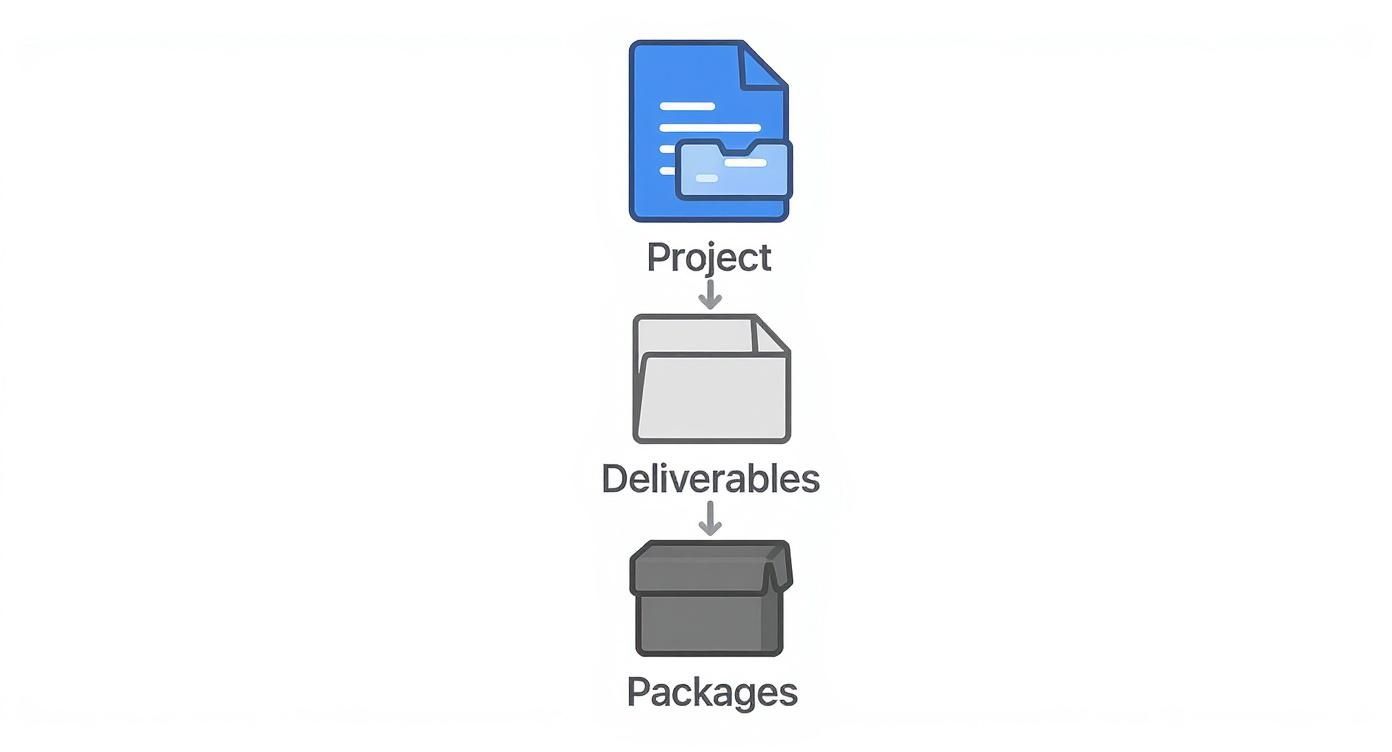
This top-down flow is the secret sauce behind any WBS format, making sure every task ties directly back to the project's ultimate purpose.
The Outline or List View
Let’s start with the most straightforward approach: the outline view. It uses simple indentation to show the project hierarchy, just like an outline you’d create for a school paper. It’s incredibly easy to make in a word processor or spreadsheet.
The beauty of this format is its simplicity. Anyone on the team can immediately see how tasks are related without needing any special software. The only catch? For massive projects, a simple list can get very long and unwieldy, making it tough to see the forest for the trees.
Example: Organizing a Corporate Conference 1.0 Event Planning 1.1 Venue Selection and Booking 1.1.1 Research Potential Venues 1.1.2 Conduct Site Visits 1.1.3 Negotiate and Sign Contract 1.2 Speaker Management 1.2.1 Identify and Invite Keynote Speakers 1.2.2 Coordinate Travel and Accommodations 2.0 Marketing and Promotion 2.1 Website and Registration Portal 2.2 Email Marketing Campaign
The Tree Diagram View
The tree diagram is what most people picture when they think of a WBS. It looks a lot like a family tree or an org chart, with the main project sitting at the top and all the deliverables branching out beneath it. This visual format is fantastic for getting the entire project scope across in a single glance.
Tree diagrams are a project manager's best friend during stakeholder meetings because they communicate the project’s structure so clearly. The main downside is real estate. For a really complex project, the diagram can spread out and become too wide to fit neatly on one page or slide.
The Tabular or Spreadsheet View
A tabular view is all about practicality. Built in a spreadsheet, it organizes the WBS into columns and combines the clear hierarchy of an outline with the data-crunching power of a tool like Excel or Google Sheets. This is where you can add extra columns for things like WBS codes, task owners, deadlines, costs, and status.
This makes the tabular WBS a workhorse for day-to-day project management. It might not be as pretty as a tree diagram, but its ability to organize huge amounts of information makes it a go-to for managers who need to track every detail. Of course, the data in those columns is only as good as your estimates. If your team is using agile methods, getting a good grasp on story point estimation can make the information you track here much more reliable.
A great WBS isn't just about listing tasks; it's about creating a shared reality for the project team. It ensures everyone sees the same map and understands how their individual piece contributes to the final destination.
Real-World Example: Launching a New E-commerce Website
To tie all this together, let’s map out a WBS for a project we can all relate to. Here’s a sample for "Launching a New E-commerce Website," laid out in a way that you could easily pop into any of the formats we've discussed.
- 1.0 Project Management
- 1.1 Project Planning
- 1.2 Team Coordination
- 1.3 Budget and Schedule Tracking
- 1.4 Stakeholder Reporting
- 2.0 Website Design
- 2.1 Discovery and Strategy
- 2.2 Wireframing
- 2.3 UI/UX Mockups
- 2.3.1 Homepage Mockup
- 2.3.2 Product Page Mockup
- 2.3.3 Checkout Flow Mockup
- 2.4 Branding and Style Guide
- 3.0 Website Development
- 3.1 Front-End Development
- 3.1.1 HTML/CSS Framework
- 3.1.2 Interactive Elements (JavaScript)
- 3.2 Back-End Development
- 3.2.1 Database Setup
- 3.2.2 CMS Integration
- 3.2.3 Payment Gateway Integration
- 3.3 Quality Assurance and Testing
- 3.1 Front-End Development
- 4.0 Content and Product Setup
- 4.1 Product Photography
- 4.2 Writing Product Descriptions
- 4.3 Creating Static Page Content (About Us, Contact)
- 5.0 Launch and Go-Live
- 5.1 Final Deployment to Production Server
- 5.2 Post-Launch Monitoring
- 5.3 Project Closeout Report
This example shows how a huge, intimidating goal gets sliced into clear, manageable, and measurable chunks of work. It’s the kind of solid foundation that sets a project up for success from day one.
Got Questions About the WBS? We’ve Got Answers.
Even with a tool as powerful as the project work breakdown structure, it's normal to have a few questions, especially when you're just starting out. While a WBS brings incredible clarity to a project, a few common hangups can trip up even seasoned project managers. Let's clear the air and tackle the most frequent questions head-on.
Think of this as your go-to troubleshooting guide. We'll give you direct, practical answers to help you see the difference between a WBS and other project documents, find that "just right" level of detail, and even adapt it for today's fast-moving agile environments.
What's the Difference Between a WBS and a Project Schedule?
This is, without a doubt, the most common point of confusion. The good news is the distinction is simple: the WBS defines the "what," while the project schedule handles the "when." They are two sides of the same planning coin, but they serve completely different masters.
Let's say you're building a house. The WBS is your architectural blueprint, showing every single component: the foundation, framing, plumbing, electrical, roof, and drywall. It's a complete inventory of everything required to build the house. It doesn't tell you when to pour the foundation or for how long; it just confirms that every single piece is accounted for. This is the 100% Rule in action—capturing the entire scope.
The project schedule, on the other hand, is the construction timeline. It tells you to pour the foundation in week one, start framing in week two, and have the electricians on-site by week four. It sequences the work, assigns durations, and maps out dependencies. You have to create the WBS first to define all the work, and only then can you build a realistic schedule from its work packages.
A WBS is a hierarchical breakdown of all project deliverables—the complete inventory of project scope. The project schedule takes that inventory and puts it on a calendar. You simply can't build an accurate schedule without a comprehensive WBS.
How Detailed Should My WBS Be?
Nailing the right level of detail feels more like an art than a science, but a few solid guidelines can get you there. The goal is to break the work down just enough to get a firm grip on it without getting bogged down in micromanagement. Too little detail leaves you with vague, unmanageable blobs of work; too much creates an administrative nightmare.
A great rule of thumb to start with is the "80-Hour Rule." This guideline suggests that no single work package at the bottom of your WBS should take more than 80 hours of effort. This keeps tasks small enough to be estimated accurately, handed off to a single owner, and knocked out within a reasonable timeframe.
Another handy trick is the "reporting period rule." If your team has weekly status meetings, a work package shouldn't take longer than one week to complete. This way, you can report real progress at every check-in—a task is either not started, in progress, or done.
You know you’ve hit the sweet spot when you can confidently:
- Assign a work package to one person or team.
- Estimate its cost and duration with a straight face.
- Easily track its status from start to finish.
Can I Use a WBS for Agile Projects?
Absolutely. But its role changes to fit right in with agile principles like flexibility and iterative progress. A traditional waterfall WBS is often built upfront in painstaking detail. In agile, the WBS acts more like a high-level roadmap connecting the long-term vision to the short-term sprint cycles.
In an Agile or Scrum world, the WBS is a superstar during release planning. The top levels can represent major features or epics, giving everyone a stable, big-picture view of the final product. These epics are then broken down into smaller user stories, which land in the product backlog to be prioritized. From there, the team pulls stories into each sprint.
This approach gives you the best of both worlds. The WBS provides an overarching framework, making sure all the incremental work in your sprints ladders up to the complete product you promised. It stops the team from getting lost in the weeds of a two-week sprint and forgetting the ultimate goal. It's the perfect bridge between high-level strategy and the tactical, on-the-ground execution.
Ready to make your agile planning sessions more effective? Scrum Planning Poker offers a free, simple, and powerful way for teams to estimate work and align on project scope. Start a session instantly—no signup needed—and bring clarity and consensus to your next sprint. Try it now at https://onlineplanningpokers.com.