
planning poker online: Ultimate guide to remote estimation
Online planning poker is simply the digital take on the classic Agile estimation method. It lets remote and distributed teams estimate work at the same time, without influencing each other. Instead of physical cards, you're using a tool in your browser, which has quickly become a must-have for modern software teams.
Why Agile Teams Are Moving Planning Poker Online
While there's a certain old-school charm to sitting in a room with physical cards, that model just doesn't work for today's remote and hybrid teams. Moving your planning poker sessions online isn't just a matter of convenience; it’s a smart move that fixes some real-world problems with collaborative estimation. The result? More accurate, inclusive, and efficient sprint planning.
The biggest win here is how an online tool sidesteps the common human biases that can throw your estimates off track.
This digital setup tackles issues like anchoring bias, where the first number spoken out loud tends to pull everyone else's vote in that direction. It also eliminates the quiet pressure from a senior developer whose opinion might unintentionally sway a more junior teammate. When everyone votes privately and reveals their cards simultaneously, you get a much more honest take on a task's complexity.
Creating a Space for Honest Estimates
From my own experience running these sessions, I’ve seen teams open up almost immediately when they can vote without feeling watched. This creates a real sense of psychological safety. A developer feels comfortable voting a '13' on a story everyone else pegged as a '5' because they know they'll get to explain their reasoning without instant judgment. More often than not, this is where hidden complexities and critical misunderstandings about the user story come to light.
The real magic of online planning poker isn't just about landing on a number. It's about the structured, unbiased conversation that happens when those numbers are far apart. It turns a disagreement into a moment of discovery.
Unlocking Key Benefits for Distributed Teams
Beyond just cutting out bias, going digital offers some massive practical advantages for how modern teams work. Planning poker has exploded in popularity since the early 2010s, especially as remote work became the norm. By 2025, platforms like Kollabe were serving over 217,637 active users across more than 162,072 sessions. If you're interested in the data, you can read the full research about these agile estimation trends.
For teams spread across the globe, the benefits are undeniable:
- A Permanent Record: Every estimate, discussion, and revote can be automatically saved. This creates a fantastic historical log you can reference during sprint retrospectives or future planning.
- Truly Seamless Collaboration: Team members from different time zones can participate as equals, completely breaking down geographical barriers.
- Major Efficiency Gains: Most online tools come with built-in timers and can integrate directly with your backlog management software, which helps keep the whole process moving smoothly.

Let's break down exactly how the two formats stack up.
In-Person vs. Online Planning Poker A Practical Comparison
The table below gives a clear side-by-side look at the practical differences between running your estimation sessions the old way versus using a dedicated online tool. It really highlights why so many remote and hybrid teams have made the switch.
| Feature | In-Person Session | Online Session |
|---|---|---|
| Bias Control | Highly susceptible to anchoring and groupthink. | Simultaneous, private voting minimizes bias. |
| Accessibility | Limited to co-located team members. | Accessible to anyone with an internet connection, anywhere. |
| Record Keeping | Manual and often inconsistent. Requires someone to take detailed notes. | Automatic logging of all votes, discussions, and final estimates. |
| Efficiency | Can be slow. Time is spent managing cards and manually tallying votes. | Streamlined with timers, and instant result calculations. |
| Backlog Integration | A completely separate, manual process. | Direct integration with tools like Jira, Trello, or Azure DevOps. |
| Psychological Safety | Junior members may feel pressured to conform to senior opinions. | Anonymity and private voting encourage more honest participation. |
Ultimately, choosing an online planning poker tool is a foundational step for any team looking to build more mature and effective remote Agile practices. It’s less about replacing an old method and more about upgrading it for the way we work today.
Getting Ready for Your First Online Session
A great planning poker session doesn't just happen. It's the result of smart prep work done long before anyone even joins the call. Honestly, putting in a little effort upfront is what separates a focused, valuable meeting from a chaotic one that just wastes everyone's time. Think of this as your pre-flight checklist.
Your first big decision is about the tool you'll use. Are you going with a simple, standalone app or something that plugs right into your project management system like Jira? There's no single right answer here—it really boils down to how your team likes to work.
A standalone tool is all about speed and simplicity. You can spin up a session, drop a link in Slack, and start estimating in minutes. It's perfect for teams that want a dedicated space for estimation without getting tangled up in a bigger system.
On the other hand, an integrated tool creates a seamless flow. Your estimates can automatically sync back to your backlog, which means less manual data entry and fewer chances for mistakes. If your team practically lives inside your project management software, this is probably the way to go.
Get Your User Stories Ready for Prime Time
Once you've picked your tool, the real work begins: getting your user stories in shape. Throwing a vague or massive story at the team is the fastest way to bring a session to a grinding halt. Every story needs to be crystal clear, concise, and actually ready to be estimated.
Before you even think about bringing a story to the team, make sure it checks these boxes:
- Rock-Solid Acceptance Criteria: The team has to know exactly what "done" means. If the requirements are fuzzy, people will estimate completely different things, and your numbers will be all over the place.
- Small and Testable: A story should be a thin slice of work that can be finished within one sprint. If a story feels too big to estimate, it is. Break it down.
- Dependencies Called Out: Does this story rely on another team or a task that has to be done first? Pointing this out from the get-go saves a lot of headaches and helps the team factor in any potential delays.
I've always found that a great user story sparks questions before the estimation starts, not in the middle of it. The whole point of prep is to answer the obvious questions in the story description itself, letting the session focus on the how and the complexity—not the what.
Setting the Stage for Your Remote Team
With a remote team, the human side of things is just as critical as the technical setup. You absolutely need some clear rules of engagement for your planning poker online meeting. Without them, it’s easy for the session to get derailed by confusion, or worse, people zoning out.
Take a few minutes to agree on some ground rules with your team beforehand. A few simple guidelines can make a world of difference, creating an environment where everyone feels comfortable jumping in.
Here are a few I've seen work really well:
- Cameras On: It's so much easier to communicate when you can see each other's expressions. It’s a simple way to keep everyone present and engaged.
- One Person at a Time: Get people to use the "raise hand" feature in your video call. It prevents that awkward dance of people talking over each other.
- Come Prepared: This one is a game-changer. Ask everyone to read the user stories before the meeting. Sending the list out a day ahead gives people time to digest the work and think of questions. I’ve seen this simple step cut meeting times in half. For more on this, check out our guide on how remote teams master story point estimation to see just how much preparation can influence the outcome.
Kick Things Off With a Quick Warm-Up
Last but not least, don't just dive straight into the gnarliest story on your backlog. Give people a minute to get their heads in the game and get comfortable with the tool. A quick warm-up round is a fantastic way to ease into the flow.
Pick something fun or ridiculously simple to estimate first. Think, "Estimate the effort to write a thank-you email to our users" or "Estimate the complexity of ordering pizza for the team." This little five-minute exercise gets everyone clicking the right buttons and breaks the ice before you get to the real work. It lowers the stakes and makes sure that when the real estimation starts, the focus is on the story, not on figuring out how the poker tool works.
How to Facilitate Engaging Remote Estimations
Running an online planning poker session is less about being a manager and more about being a great host for a really important conversation. A well-run session is full of energy and focus. A bad one? It can quickly turn into a silent, disengaged meeting where everyone is just staring at the clock, waiting for it to be over. Your job is to actively guide the flow, making sure every voice is heard and discussions stay on track.
Keeping a remote team focused is a whole different ballgame. You're not just competing with the user story for their attention; you’re up against Slack pings, email pop-ups, and all the other distractions of a home office. As the facilitator, you need to create an environment so engaging that those other things just fade into the background.
This quick visual lays out the prep work that really sets the stage for a smooth, effective session.
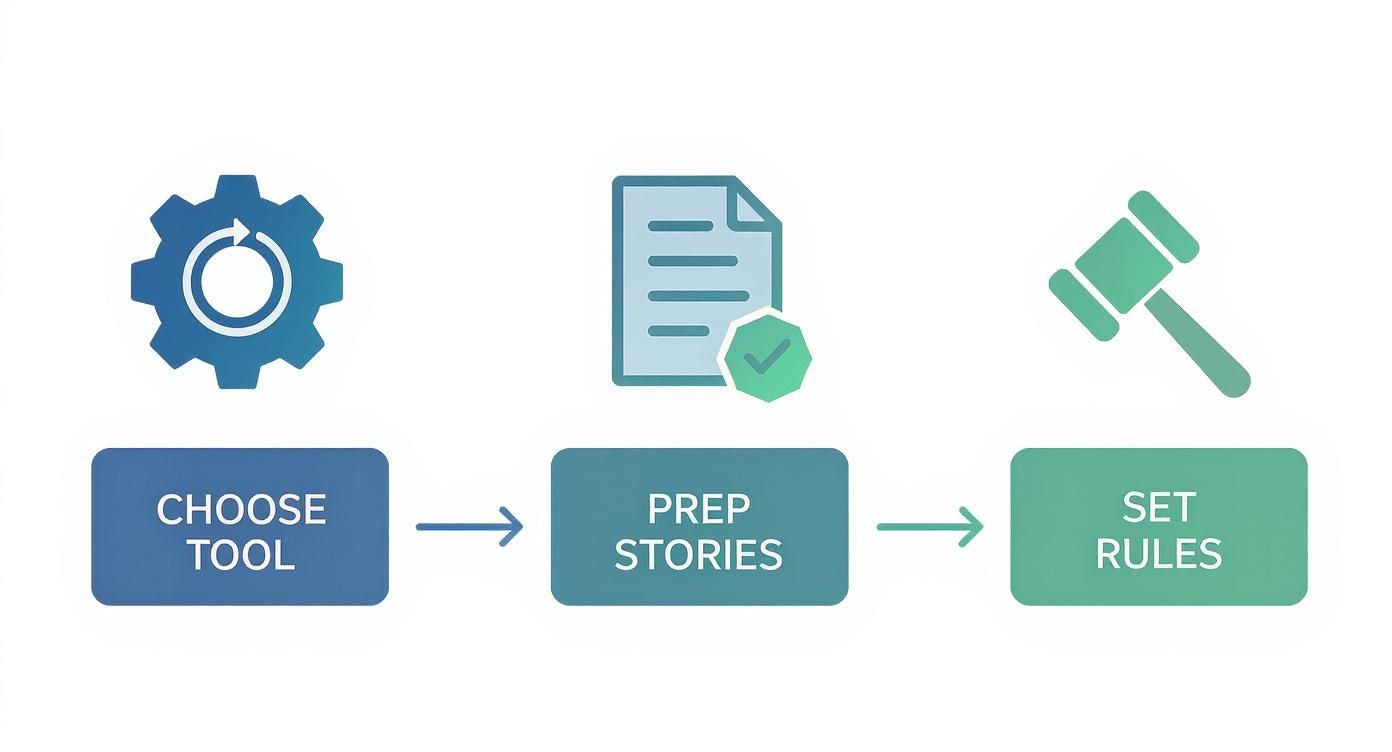
As you can see, a successful session is built on a solid foundation of prep—from picking the right tool to getting the work itself crystal clear for everyone involved.
Guiding the Conversation with Purpose
Your best tool is the way you talk to the team. The language you use can completely change the dynamic of the meeting. For example, instead of just asking, "Any questions?" after presenting a story, try being more direct and inclusive. This is huge for drawing out quieter team members who might not jump in on their own.
Here are a few phrases I've found incredibly helpful for steering the conversation:
- "Let's hear from someone who hasn't spoken yet." This is a gentle nudge to get more people involved without putting anyone on the spot.
- "That's an interesting point. Can you walk us through your thinking on that?" This validates their contribution and encourages them to share the "why" behind their thoughts.
- "We seem to be getting off-track. Let's refocus on the complexity of this story for now." It's a polite but firm way to pull everyone back from a tangent and keep the meeting moving.
- "Before we vote, does anyone see any hidden risks or dependencies we haven't discussed?" This simple question prompts the team to think deeper than just the surface-level requirements.
Using a virtual timer is another game-changer. It’s not about rushing people; it’s about creating structure. After a vote with a huge point spread, you could say, "Okay, let's set a two-minute timer for the highest and lowest estimators to explain their votes." This keeps the discussion tight and prevents it from spiraling.
Managing Common Remote Work Hurdles
In a remote setting, stuff happens. A key developer’s internet will inevitably cut out right as they're about to explain their high vote, or you'll realize you're running out of time with critical stories still on the list. How you handle these moments is what makes you a great facilitator.
Here’s how I tackle these real-world scenarios:
- Technical Glitches: If someone drops, don't just move on. Announce a quick pause: "Looks like we lost Sarah. Let's pause for 60 seconds to see if she rejoins. If not, we'll table this story and come back to it." This shows you value every team member's input.
- Running Over Time: Keep a close eye on the clock. If you're halfway through the meeting but only a quarter of the way through the stories, it's time to act. Address the team directly: "Team, we're a bit behind schedule. For the next few stories, let's try to keep our discussion focused only on the core complexities." Be ready to schedule a follow-up if needed.
- Team Disengagement: Notice cameras turning off or participation dropping? That’s probably "estimation fatigue" setting in. Don't be afraid to call a short break. A five-minute stretch can work wonders for getting everyone's energy back.
The ultimate goal of facilitating a planning poker online session isn't just to assign story points. It's to cultivate a shared understanding of the work. The number is just a byproduct of a healthy, collaborative discussion where the entire team feels invested in the outcome.
Fostering a Truly Collaborative Environment
Finally, remember that your energy sets the tone for the whole meeting. If you're enthusiastic and engaged, the team will feed off that. Kick off the meeting with a quick, positive check-in. Acknowledge good points and thank people for their contributions as you go.
Your role is about more than just running through the backlog. It’s about creating a space where team members feel safe to disagree, confident enough to ask "dumb" questions, and empowered to contribute their unique perspective. When you get that right, your estimates become far more accurate, and your team becomes stronger and more aligned. Suddenly, planning poker isn't just another meeting they have to attend—it's a process they actually find valuable.
Turn Estimation Disagreements Into Insights

Here’s a little secret from the trenches: if everyone on your team agrees on every single estimate, your planning poker online sessions are probably missing the point. The real gold isn't in quick agreement. It’s mined from those moments of wild disagreement—when the cards are flipped and there's a huge gap in the numbers.
Those moments aren't a sign of failure; they're an opportunity. Seeing a '3' next to a '13' for the same story isn't a problem. It’s a bright, flashing sign that your team members are looking at the task from completely different angles. Instead of rushing to close the gap, you need to treat it as a chance to learn.
This is where the real magic of collaborative estimation happens. Your job is to turn those clashing perspectives into a richer, more accurate understanding for everyone.
Creating a Forum for Discovery
When the votes are all over the place, the first thing to do is open the floor for discussion, not a debate. The facilitator’s role here is absolutely critical. You want to invite the people who threw the highest and lowest cards to explain their thinking.
How you frame the question matters. A lot. Asking, "Why did you vote so high?" can put someone on the defensive.
Try a softer, more open approach: "Looks like we have some different ideas on this one. Could the person who voted highest walk us through what they’re seeing?" This simple change turns a potential argument into a fact-finding mission. The goal is to uncover information, not to defend a number.
Uncovering Hidden Complexities and Shortcuts
More often than not, the high and low estimators are holding different pieces of the same puzzle. They aren't necessarily wrong; they just have different information. This is the whole point of bringing a diverse team together in the first place.
Here’s a classic scenario I’ve seen play out many times:
- The High Vote (13): A senior developer remembers a similar feature from two years ago. She knows it hooks into a brittle, poorly documented legacy system that caused a week of chasing bugs. Her estimate is padded to account for that risk and the extra testing needed to navigate the technical debt.
- The Low Vote (3): A newer developer just finished building a reusable component for another project. He instantly sees that his component could handle about 70% of the work for this new story, making the implementation much simpler than it looks.
Without this conversation, neither of them would know what the other was thinking. The team might have just averaged it out to an '8', completely missing both a major risk and a brilliant shortcut. The discussion that happens after the votes are revealed is what creates a truly informed estimate. For a deeper dive, check out our guide on how to perfect your story point estimation process.
A wide vote spread is not a problem to solve; it's a conversation starter. It’s an invitation for the team to pool its collective knowledge, surface hidden assumptions, and align on a path forward.
Guiding the Team to a Revote
After the high and low estimators have had their say, open the floor for a quick, time-boxed discussion. This gives others a chance to ask questions or add their own two cents. Maybe a QA engineer points out a tricky edge case nobody thought of, or a designer clarifies a UI detail that’s more complex than it seems.
This conversation should naturally shift everyone’s understanding. The developer who voted low now gets the risk of the legacy system, and the senior dev now sees the advantage of the new component.
Once the new information has settled, it’s time for a revote. The goal here isn't to force consensus. It's to see if the conversation has brought the estimates closer, reflecting the team's new shared knowledge. Almost every time, this second vote will show a much tighter cluster of numbers, making it easy to land on a final estimate everyone feels good about. That's how you turn disagreement into powerful alignment.
Digging Deeper: Advanced Online Planning Poker Strategies
Once your team gets the hang of the basic online planning poker flow, you can start to layer in some more advanced techniques. These aren't just tricks; they're strategies that help you fine-tune the process for different situations, navigate tricky team dynamics, and make your estimation sessions a genuine asset for forecasting.
This is where planning poker evolves from a simple meeting ritual into a powerful tool for continuous improvement.
It’s Not Always About Fibonacci
The first thing to realize is that the standard Fibonacci sequence (1, 2, 3, 5, 8...) isn't a one-size-fits-all solution. It's fantastic for breaking down work in a sprint, but trying to use it for long-term roadmap planning is like trying to measure a highway in inches. The numbers just get too big and abstract to be useful.
For those higher-level planning sessions, you need a different kind of scale.
- T-Shirt Sizes (XS, S, M, L, XL): Perfect for early-stage backlog grooming or quarterly roadmap talks. This scale forces a conversation about relative size without getting lost in the weeds of specific numbers. Everyone understands that an "XL" epic is a monster compared to an "S" feature, and that's often all the clarity you need at that stage.
- The Bucket System: This is a super quick way to triage a big, messy backlog. You just create simple "buckets"—like Small, Medium, and Large—and sort items into them. It’s a great entry point for teams still getting comfortable with the whole idea of relative sizing.
The real skill is knowing when to use which tool. A seasoned team might use T-shirt sizes to map out a quarter, then switch back to Fibonacci when they break those "Large" epics down into user stories for an upcoming sprint. It’s all about matching the tool to the job.
Going Asynchronous With Your Poker Game
For distributed teams spread across different time zones, getting everyone in the same virtual room at the same time can be a logistical nightmare. This is where asynchronous planning poker shines. It lets your team members estimate when it works best for them, protecting their focus time and respecting their schedules.
The setup is pretty straightforward. A facilitator posts a user story in a tool or a dedicated chat channel. The team then gets a fixed amount of time—say, 24 hours—to look it over, drop clarifying questions in a thread, and log their vote privately.
The magic of async estimation is the quality of thought it encourages. When people aren't on the spot in a live meeting, they tend to dig deeper, consider more angles, and provide much more thoughtful feedback and estimates. It shifts the activity from a quick reaction to a considered analysis.
After the deadline, the facilitator shares the results. If the votes are all over the place, you can either schedule a quick follow-up call with just the outliers or simply continue the discussion in the thread. This model respects everyone's time while keeping the essential collaborative spirit of poker alive. In fact, many of the best online planning poker tools are now built with async-first features, making this easier than ever.
Turn Your Estimation History into a Crystal Ball
Your team's past estimates are a goldmine of data waiting to be explored. The best teams don't just estimate and move on; they look back at their history to find patterns and sharpen their future accuracy. Your online tool’s records are the key.
First, take a look at your team's velocity—the average story points you complete per sprint. Is it pretty stable, or does it jump around unpredictably?
Then, you can start digging into individual stories. Hunt for the ones you consistently got wrong. For instance, maybe you notice that any task involving that old third-party API always gets underestimated, while simple UI text changes are almost always overestimated.
Once you spot these trends, you can create simple, practical rules of thumb. Something like, "Heads up, team: anything touching the legacy payment module gets an automatic +1 story point." This data-driven feedback loop is what turns estimation from a guessing game into a refined skill, leading to forecasts you can actually trust.
Frequently Asked Questions
Even the best-laid plans can hit a few snags, and questions always come up when teams first try planning poker online. Let's walk through some of the most common questions I hear from teams making the switch, so you can sidestep the confusion and get right to productive estimating.
How Long Should a Planning Poker Session Be?
This is probably the most common question, and for good reason. Nobody wants to be stuck in a marathon meeting. Endless estimation sessions lead to what we call "estimation fatigue," where everyone is so drained that the numbers they throw out become meaningless.
The sweet spot is almost always between 60 and 90 minutes. If you have a massive backlog to get through, resist the urge to power through. You'll get far more accurate and thoughtful estimates by splitting the work into two, or even three, shorter sessions.
What's the Ideal Team Size for This?
Another classic question is about the perfect number of people. It’s tempting to invite the whole department, but that’s a recipe for chaos. Too many cooks in the kitchen turns a focused discussion into a slow, meandering conversation. On the flip side, too few people means you miss out on the diverse perspectives that make poker so valuable in the first place.
For most development teams, the magic number is somewhere between three and eight developers. This gives you enough brainpower for a rich discussion without becoming unmanageable. The product owner and other stakeholders should absolutely be there to answer questions, but they shouldn't vote. The estimates need to come from the people who will actually be doing the work.
The point of planning poker isn't just to land on a number. It's about tapping into the team's collective wisdom. Getting the group size right is the key to unlocking that crucial conversation.
How Do We Handle Technical Glitches?
Working remotely means dealing with the occasional technical hiccup. What happens if someone’s internet is spotty or they don't have a webcam?
- Is video a must-have? It's definitely nice to see everyone's faces—it helps build connection and lets a facilitator read the room. But it's not a deal-breaker. As long as someone is actively participating with their voice and in the chat, that’s what really matters.
- What if a key person can't make it? If a crucial team member is out, you don’t have to grind to a halt. Consider trying asynchronous estimation for a few stories. Tools like Jira have plugins that let people add their estimates and rationale on their own time, so their input isn't lost.
Can We Use Planning Poker for More Than Just User Stories?
Absolutely. I get this question a lot, and the answer is a big "yes." The core idea of collaborative estimation works for any task where the effort and complexity aren't immediately obvious.
It’s incredibly useful for things like:
- Bug Fixes: Perfect for those tricky, legacy bugs where you're not even sure where to start looking.
- Technical Spikes: When you need to research a new library or API, poker is great for time-boxing the investigation.
- Research Tasks: Just like with spikes, it helps the team agree on a reasonable amount of effort for discovery work.
Think of online planning poker as a flexible framework, not a rigid set of rules. Once you learn how to adapt it to your team’s unique needs, it becomes a powerful and consistent part of your agile workflow.
Here are a few quick answers to other common questions that come up.
| Question | Answer |
|---|---|
| Do we need a dedicated facilitator? | It's highly recommended. A good facilitator keeps the discussion on track, ensures everyone participates, and manages the time so the session stays productive. |
| What if the team can't agree on a number? | That's actually a good sign! It means a valuable conversation needs to happen. The facilitator should guide the team to discuss the differences in their estimates to uncover hidden assumptions or risks. |
| How often should we hold these sessions? | Most teams do it once per sprint, usually during sprint planning. The goal is to estimate just enough work for the upcoming sprint, not the entire backlog. |
| Can we use this for non-technical teams? | Yes! Marketing, design, and even content teams can adapt planning poker to estimate the effort for their projects. The key is agreeing on what "effort" means for them. |
Hopefully, these answers clear up some of the common hurdles. With a little practice, your team will be estimating like pros.
Ready to run your own smooth, effective remote estimations? Scrum Planning Poker offers a free, no-signup-required tool to get your team started in seconds. Start your free planning poker session now